


ku is a fast Kubernetes TUI designed for navigating a cluster without leaving the terminal. My short verdict: it’s clearly worth trying if you already live in kubectl, but I wouldn’t use it as the sole operations console in prod without testing it on your real cluster first.
What is ku?
ku, short for Kubernetes, is a terminal interface that builds on the same idea as k9s, Lens, and lazygit: keyboard-driven navigation, a resource column on the left, a central table, and direct actions on the selected object.
The project promises to browse resources, read YAML, follow logs, edit objects, open a shell inside a pod, restart a deployment, scale, trigger a CronJob, and display the equivalent kubectl command.
What caught my attention from a freelance security/DevOps perspective is the default behavior: ku starts in read-only mode. Actions that modify the cluster are disabled until you explicitly switch to edit mode. For a terminal tool that can touch a Kubernetes cluster, that detail matters.
| Tested point | Observed result |
|---|---|
| Version tested | ku v0.6.2 |
| Installation | Linux amd64 binary from GitHub release |
| Source | repo cloned at 4b3ca5b |
| Runtime | Bubble Tea terminal TUI |
| Test cluster | local compatible Kubernetes API, with pods, deployment, node, namespaces and event |
| Default mode | read-only |
Installing ku
I cloned the repo into /tmp, read the README, the docs, and the Makefile. The project is written in Go and go.mod requires Go 1.26.3. In my test container, Go wasn’t installed, so I went with the Linux amd64 binary from the release page.
The useful commands look like this:
git clone https://github.com/bjarneo/ku.git /tmp/ku
curl -fsSL -o ku https://github.com/bjarneo/ku/releases/download/v0.6.2/ku-linux-amd64
chmod +x ku
./ku --version
Output:
ku v0.6.2
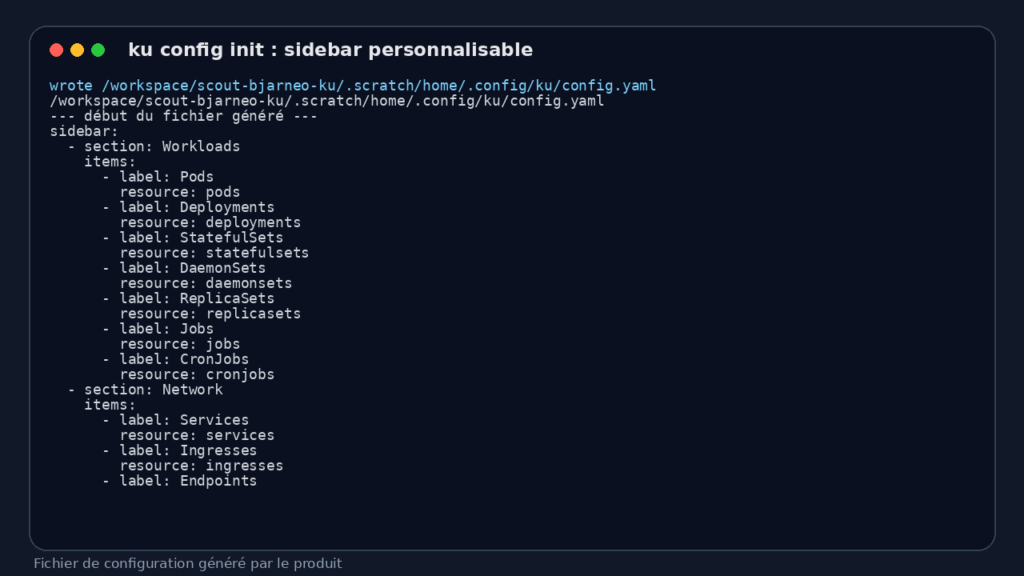
I also tested configuration generation:
ku config init --force
ku config path
ku writes a YAML file with a sidebar structured by sections, such as Workloads, Network, Config, Storage, and Cluster. That’s handy if you want to add CRDs to the menu, whether that’s KEDA, cert-manager, OpenTelemetry, or custom resources.
ku in use on Kubernetes
I wanted to avoid the fake test that just checks the version. The sandbox had no Docker, no kind, no kubectl, and cgroups were read-only. So I couldn’t start a real local kind cluster inside that container.
To push the test further anyway, I set up a small local compatible Kubernetes API covering the endpoints ku uses: API discovery, server version, pods, deployments, nodes, namespaces, and events tables. It exposed a deliberately realistic scenario: two application pods in default, one of them in ImagePullBackOff, a coredns pod in kube-system, an api deployment at 1/2 ready, one Ready node, and a Warning event.
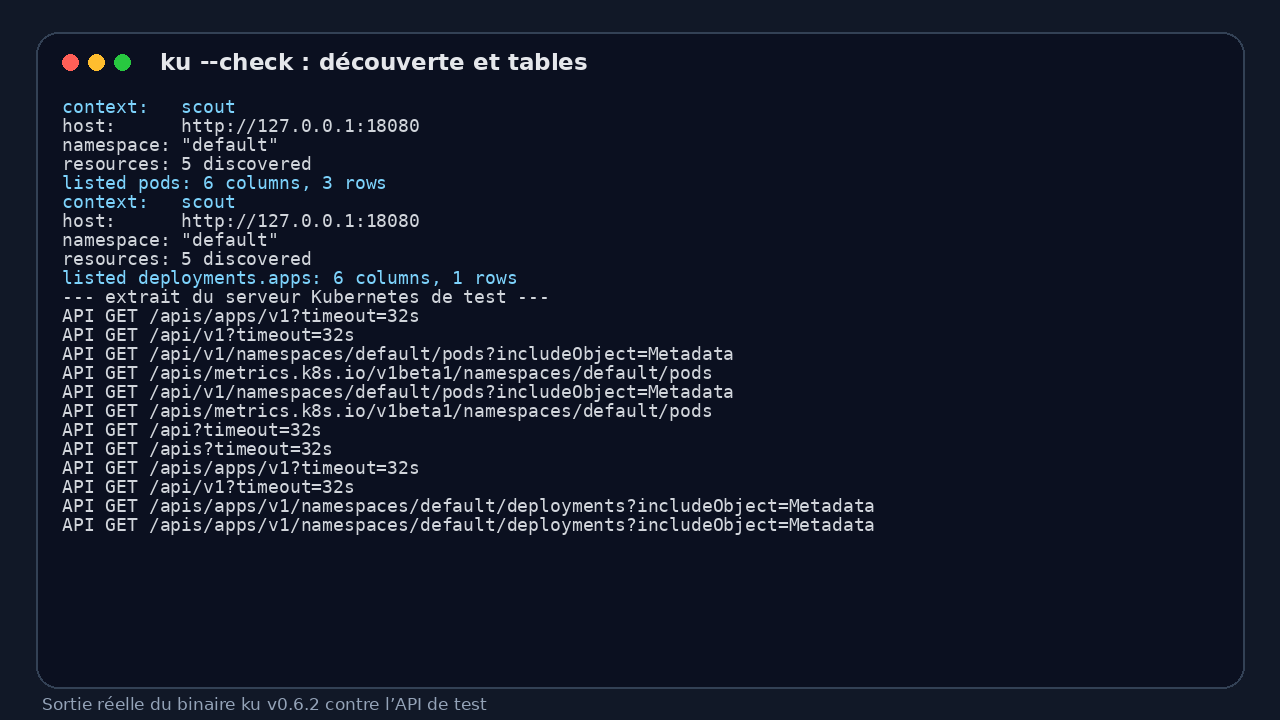
I then pointed ku at it via a local kubeconfig and ran the connectivity check:
ku --kubeconfig kubeconfig.yaml --check --resource pods
ku --kubeconfig kubeconfig.yaml --check --resource deploy
What ku produced: it discovered 5 resources, negotiated server-side Kubernetes tables, listed pods with 6 columns and 3 rows, then listed the apps deployment with 6 columns and 1 row.
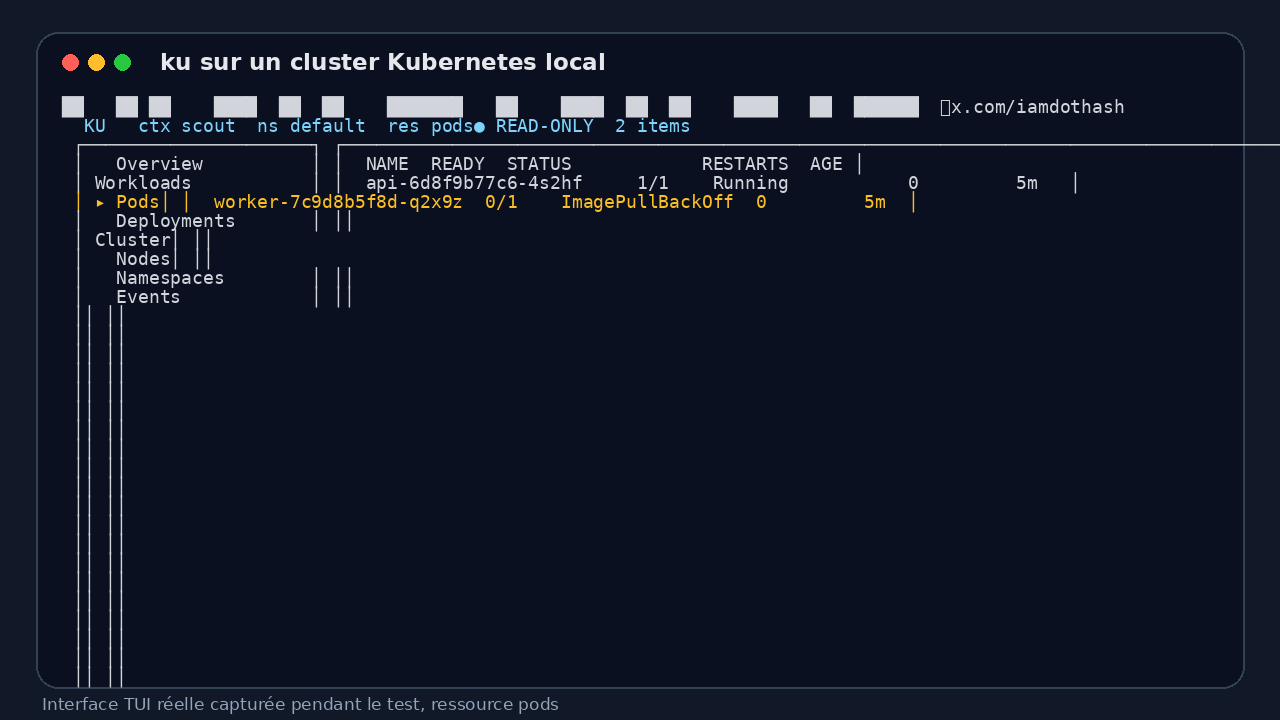
I then launched the TUI in pods mode. ku correctly displays the navigation column, the scout context, the default namespace, the pods resource, the READ-ONLY badge, and a table with the two pods in the namespace:
api-6d8f9b77c6-4s2hf, ready at1/1, statusRunningworker-7c9d8b5f8d-q2x9z, ready at0/1, statusImagePullBackOff
The footer shows available actions: config, describe, logs, edit mode, filter, sort, docs, kubectl command, tab navigation. That’s exactly the kind of screen I want during an on-call shift, not a marketing page.
What I like about ku
First good point: security by default. Read-only mode is visible, and dangerous actions aren’t just buried in the docs, they’re disabled in the interface. For a team where multiple profiles touch Kubernetes, that’s a healthy approach.
Second point: ku uses Kubernetes server-side tables. That means the display reflects what Kubernetes already knows how to print, rather than reinventing every column on the client side. For standard resources, it stays consistent with the kubectl experience.
Third point: getting started is simple. One binary, one kubeconfig, and the tool is up. No Electron, no local web server, no database.
I also like the shortcut that shows the equivalent kubectl command. In an audit or a runbook, that’s useful: you can explore quickly in the TUI, then copy an explicit command to document what was done.
The limits of ku
The main limitation of my test: I couldn’t validate ku against a real kind cluster in this sandbox. I validated the binary, discovery, tables, configuration, and TUI rendering against a local compatible Kubernetes API, but not the heavy paths like exec inside a pod, real object editing, restart, scale, or follow logs against a real kubelet.
Second limitation: ku is young. The repo is small and the scope is clear, but the ecosystem around k9s is far more mature. If you already have k9s plugins, habits, and scripts, ku won’t replace everything overnight.
Third limitation: capturing TUI output in a non-interactive environment is fragile. In a normal terminal the interface is readable. In an automated sandbox, you need to capture via a pseudo-terminal, otherwise Bubble Tea refuses to open the TTY. That’s not a blocking bug for end users, but it matters for CI tests or automated reviews.
Does ku actually work?
Yes, for the part I was able to exercise seriously. The binary starts, reads a kubeconfig, queries the Kubernetes API, discovers resources, negotiates tables, displays a usable interface, and keeps read-only mode on by default.
No, I won’t claim to have validated every cluster-modification path. Without a real cluster in that container, that would be dishonest. For a production adoption, I’d run a second test on a staging cluster covering these scenarios: logs from a multi-container pod, describe on a failing pod, editing a ConfigMap, scaling a deployment, restart, and RBAC verification.
Should you adopt ku?
My verdict: try it, don’t blindly adopt it yet.
ku is interesting for people who already spend their days in the terminal and want a smoother interface than looping through kubectl get, describe, and logs. I see it working well as a personal diagnostic tool, alongside kubectl, especially thanks to read-only mode.
For a DevOps or SRE team, I’d start by putting it on a staging cluster with limited permissions. If it holds up well against your CRDs and log workflows, it can become a solid lightweight cockpit. If you need an ultra-mature tool with a fully battle-tested ecosystem, k9s is probably the safer choice today.
FAQ
Does ku replace kubectl?
No. ku helps you navigate, read, and act faster, but kubectl remains the reference for scripts, runbooks, and reproducible commands.
Is ku dangerous on a production cluster?
By default, ku starts in read-only mode, which reduces the risk of accidental changes. Mutating actions require switching to edit mode, but you still need solid RBAC in place.
Does ku work with CRDs?
Yes, the README explains that you can add CRDs to the sidebar via ku config init and then edit the YAML. I didn’t validate a real CRD in this test, only configuration generation and standard Kubernetes resources.