


MiMoCode is a terminal-based code assistant designed to read a project, trigger actions, and maintain a working memory. My short verdict: it works for producing a real deliverable on a small use case, but installation and packaging maturity still call for caution.
I tested it the way I would evaluate any tool for my day-to-day work as a freelance security/DevOps engineer: not with a marketing demo, but on an intentionally vulnerable mini Flask service, with a concrete audit request and a report file to produce.
What is MiMoCode?
MiMoCode, also listed as MiMo Code in the GitHub repository, is a command-line development assistant published by XiaomiMiMo. The project presents itself as a fork of OpenCode, extended with persistent memory, sub-agents, a compose mode, session objectives, and checkpoint logic.
The idea is straightforward from a user perspective: open a terminal inside a project, give it a task, and the agent can read files, write code, run commands, and produce a result. It supports multiple model providers, including OpenRouter and OpenAI-compatible APIs.
For a DevOps or security profile, the promise is genuinely interesting: hand off a long task to an agent, such as analyzing a repository, drafting a report, preparing a patch, or exploring an unknown codebase. On paper, this is exactly the kind of building block that can save time, as long as it stays controllable.
| Element | What I observed |
|---|---|
| Tested repository | XiaomiMiMo/MiMo-Code |
| Type | Terminal code assistant |
| Stack | Bun, TypeScript, SQLite, LLM providers |
| Tested interface | CLI, run command |
| Model used | openrouter/openai/gpt-4o-mini via local proxy |
| Use case | Security audit of a mini Flask service |
| Result | Markdown report created by the agent |
Installing MiMoCode
The README offers two paths: a one-liner install script, or the npm package @mimo-ai/cli. For this test, I first cloned the repository into /tmp, then read through the README, the root package.json, and the CLI package inside packages/opencode.
Useful commands on the repository side are:
git clone --depth 1 https://github.com/XiaomiMiMo/MiMo-Code /tmp/MiMo-Code
bun install
bun run --cwd packages/opencode --conditions=browser src/index.ts models openrouter
First important note: the precompiled npm binary did not work in my test container. The Linux x64 variant crashed with a low-level bus error, and the baseline variant failed too. I won’t generalize this, because packaged binaries of this kind can be sensitive to the container, filesystem, or runtime. Still, for a CLI tool that’s supposed to be easy to install, it’s a real stumbling block.
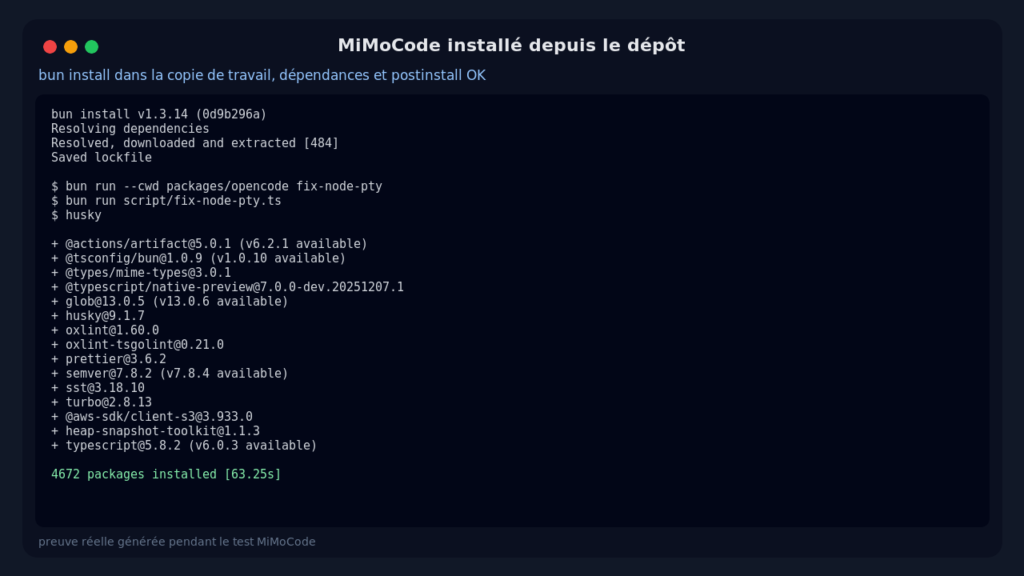
The source-based path, on the other hand, worked fine. I installed Bun in a temporary directory, ran bun install, and then executed MiMoCode from source. The installation pulled a large volume of dependencies (over 4,600 packages in my run, with a postinstall step dedicated to node-pty). Not lightweight, but the source install completed cleanly.
Using MiMoCode
To keep the test concrete, I created an intentionally fragile mini Flask service:
from flask import Flask, request
import sqlite3

app = Flask(__name__)

@app.route('/login')
def login():
    username = request.args.get('u', '')
    password = request.args.get('p', '')
    conn = sqlite3.connect('users.db')
    query = f"SELECT * FROM users WHERE username='{username}' AND password='{password}'"
    rows = conn.execute(query).fetchall()
    return {'ok': bool(rows)}

@app.route('/debug')
def debug():
    return {'secret': app.config.get('SECRET_KEY', 'dev-secret')}
I configured MiMoCode with an OpenRouter provider pointing to the local OpenAI-compatible proxy used for the test:
{
  "model": "openrouter/openai/gpt-4o-mini",
  "small_model": "openrouter/openai/gpt-4o-mini",
  "provider": {
    "openrouter": {
      "options": {
        "baseURL": "http://172.17.0.1:8790/v1",
        "apiKey": "sk-proxy"
      }
    }
  }
}
Then I submitted a real request: analyze the Flask service from a security perspective, create a SECURITY_REVIEW.md file in French, rank the vulnerabilities by severity, cite evidence from the code, and recommend fixes.
bun run --cwd packages/opencode --conditions=browser src/index.ts run \
  --dir /tmp/mimo-case \
  --model openrouter/openai/gpt-4o-mini \
  --dangerously-skip-permissions \
  "Analyse ce petit service Flask du point de vue sécurité..."
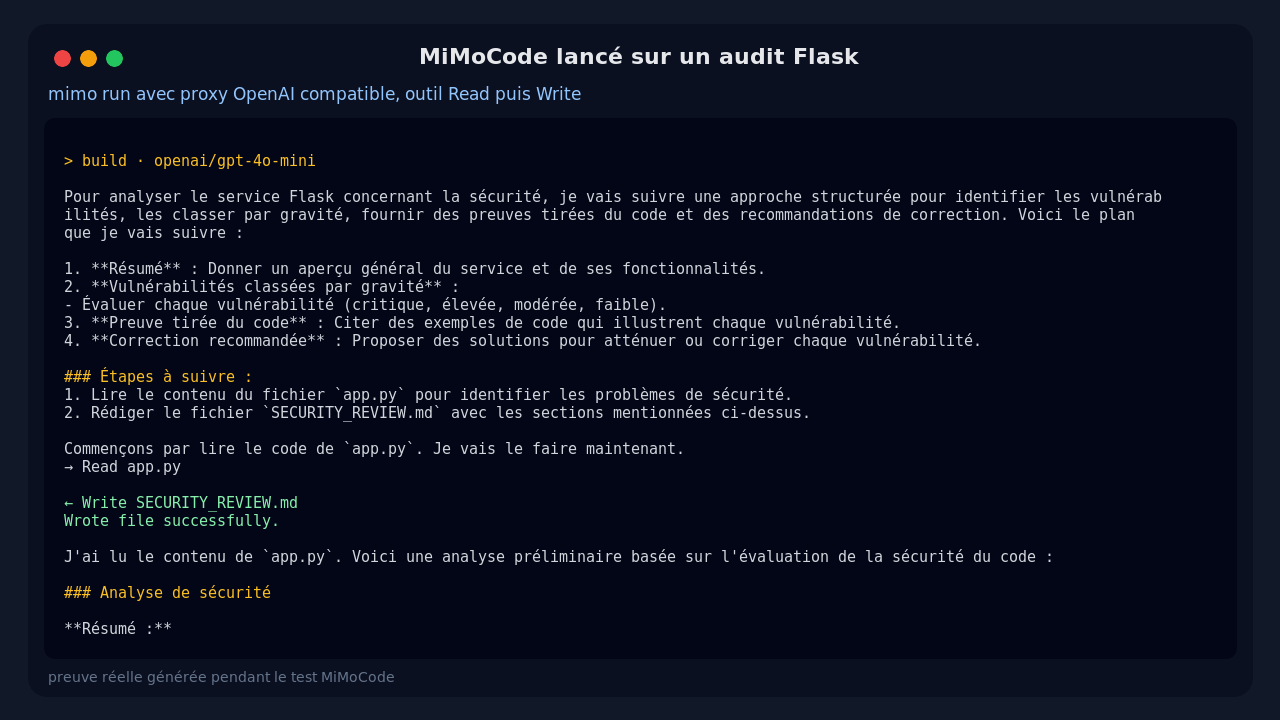
What MiMoCode produced was not just a terminal response. It actually used the read tool on app.py, then created a SECURITY_REVIEW.md file inside the test project. The report covers the expected vulnerabilities: critical SQL injection, secret key exposure via /debug, plaintext passwords, and the use of GET for credentials.
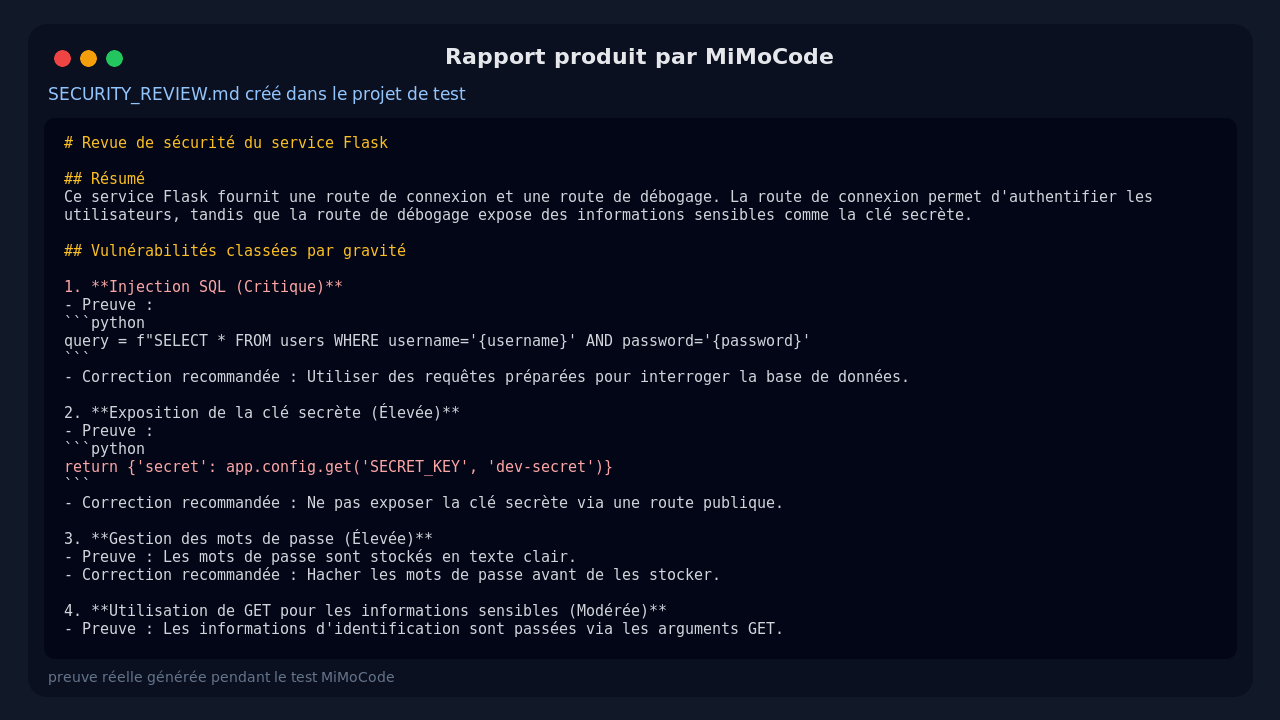
On this small use case, the result is usable. It’s not a full audit by any means, but the report is solid, readable, and references the right lines. What I appreciated most was that the tool clearly distinguishes between talking about an action and actually producing a real file.
What I Like About MiMoCode
The first strong point is the native terminal approach. For DevOps use, it feels more natural than a heavy web interface. You work inside the project folder, keep Git at hand, and can inspect the produced files directly.
Second point: the output of the run command is fairly clear. You can see the model being used, the tools being called, and then the final text. In my test, the trace explicitly showed the read on app.py and the write to SECURITY_REVIEW.md, which makes it easy to understand what the agent actually did.
Third point: provider configuration is flexible. By setting baseURL and apiKey, I was able to use a local OpenAI-compatible proxy without needing a real key. That’s essential when routing LLM calls through an internal gateway.
Finally, the roadmap is coherent: SQLite FTS5 memory, sub-agents, checkpoints, build mode, plan mode, and compose mode.
The Limits of MiMoCode
Packaging is the most visible limitation. The npm package exists, but the precompiled binary crashed in my environment. I worked around it by running from source with Bun, but that’s not the experience you’d expect from a general-purpose CLI tool.
The second limitation is weight. The repository is substantial, the source install pulls a lot of dependencies, and startup initializes an SQLite database.
Third: autonomous mode requires discipline. I used the option that skips permissions because the test project was disposable. On a real client repository, I would not do that without a strict sandbox and mandatory Git review.
Finally, the generated report was good but a bit textbook. It identified the obvious vulnerabilities, which is already useful, but it did not add exploitation tests or complete patches. For a serious audit, I see it as a first-pass assistant, not a replacement.
Does MiMoCode Actually Work?
Yes, on the tested scenario. MiMoCode was installed from source, configured with an OpenAI-compatible provider, launched on a real project, and it produced a coherent security review file.
I’ll add some nuance though: the precompiled npm path did not pass in my environment, and I did not test advanced features like sub-agents, long-term memory, or compose mode. The core CLI, however, did the job well on a concrete task involving reading, reasoning, and writing.
Should You Adopt MiMoCode?
My verdict: try it, but don’t blindly adopt it in production.
For a freelance security/DevOps engineer, MiMoCode is worth testing if you’re looking for a terminal agent capable of producing deliverables inside a repository. It can be useful for initial reviews, documentation, navigating unfamiliar code, or repetitive tasks with a model routed through your own proxy.
I wouldn’t put it at the center of a critical workflow without guardrails just yet. You need to validate packaging in your environment, isolate runs, control permissions, and review everything it modifies. But the foundation is real, and this project clearly deserves a spot on your radar.
FAQ
Does MiMoCode replace a security audit?
No. It helps identify issues and produce an initial summary, but it does not replace manual validation, exploitation testing, and a contextual review.
Can you use MiMoCode without an official Xiaomi key?
Yes. In my test I configured it with an OpenRouter provider and an OpenAI-compatible base URL. You need to supply a key or a local proxy, depending on your environment.
Is MiMoCode ready for client use?
For supervised assistance, yes. For giving it broad permissions on a sensitive repository, I’d recommend waiting, or running it inside a sandbox with mandatory Git review.