


miniblue is an open-source local Azure emulator that promises to let you create and test Azure resources without a cloud account. After a real sandbox test, my verdict is straightforward: it’s worth it for prototyping ARM calls and common application services, but you need to accept clear limits around authentication, Docker, and Azure fidelity.
What is miniblue?
miniblue positions itself as the Azure equivalent of LocalStack, but with a lighter approach: a single Go binary, two local ports, no Microsoft account, no real tenant. The server exposes an HTTP API on port 4566 and an HTTPS endpoint on port 4567 for the metadata part used by Terraform.
The idea is practical for devs writing code against Azure who don’t want to depend on a cloud subscription for every test. You can create a resource group, store a Key Vault secret, write a blob, insert a Cosmos DB document, then throw it all away.
The README claims 27 services. During my run, the health endpoint reported 29, including Resource Groups, Blob, Table, Queue, Key Vault, Cosmos DB, Service Bus, Functions, DNS, Event Grid, App Configuration, PostgreSQL, MySQL, SQL, Redis, ACI, AKS, ACR, Load Balancer, and Application Gateway.
| Tested point | Observed result |
|---|---|
| Language | Go 1.26 |
| Installation tested | Build from cloned repo |
| Local API | HTTP 4566, HTTPS 4567 |
| Active services | 29 reported by /health |
| State storage | File mode with local persistence |
| Docker in my sandbox | Not available, ACI and AKS in limited mode |
Installing miniblue
I cloned the GitHub repo into /tmp, read the README, go.mod, Makefile, and the Python and Terraform examples. The project compiles with Go 1.26. My sandbox had neither Go, Docker, nor Terraform installed initially, so I downloaded Go 1.26 into a temp folder and compiled both project binaries.
The key commands were:
git clone https://github.com/moabukar/miniblue /tmp/miniblue
cd /tmp/miniblue
go build -ldflags="-s -w" -o /tmp/miniblue-test/bin/miniblue ./cmd/miniblue
go build -ldflags="-s -w" -o /tmp/miniblue-test/bin/azlocal ./cmd/azlocal
/tmp/miniblue-test/bin/miniblue --version
The binary responded with miniblue v0.7.0-2-g543d173. The azlocal CLI lists commands close to the Azure CLI: group, keyvault, storage, network, cosmosdb, servicebus, appconfig, functionapp, dns, eventgrid, acr, postgres, redis, sql, mysql, aci, aks, containerapp, table, queue, reset, and health.
I started the server with file persistence enabled. The logs are useful: miniblue tells you where it puts its certificate, confirms the HTTP API, then warns you when Docker isn’t available. In my environment, ACI containers were therefore only simulated on the ARM side, and AKS stayed on a stub backend.
miniblue in practice
Rather than just run a startup test, I went through two paths.
First path: the azlocal CLI. I checked server status, created a resource group, created a storage account, attempted a container and a blob, then stored a Key Vault secret. Server health looked good: status: running, service_count: 29.
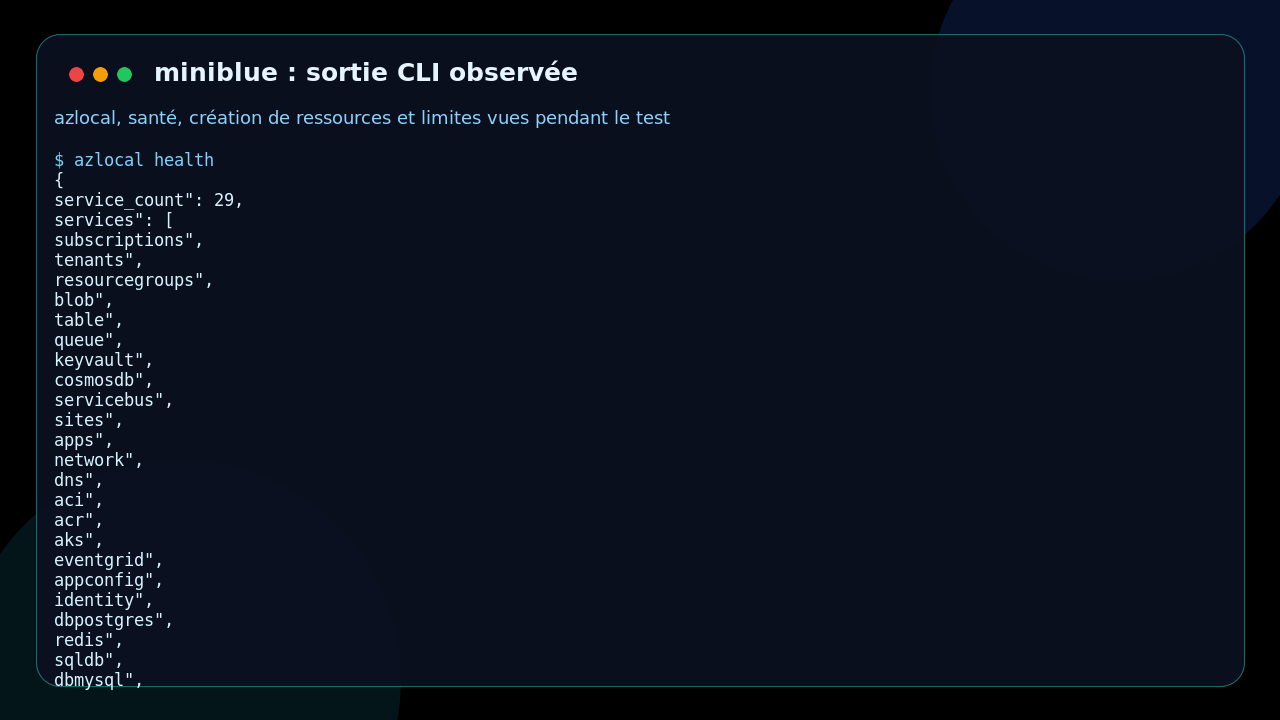
Here’s a short version of the commands used:
azlocal health
azlocal group create --name scout-rg --location westeurope
azlocal storage account create --resource-group scout-rg --name scoutstore
azlocal storage container create --account scoutstore --name reports
azlocal keyvault secret set --vault scoutvault --name db-password --value not-a-real-secret
azlocal keyvault secret show --vault scoutvault --name db-password
What came out: a resource group with provisioningState: Succeeded, a storage account with Blob, File, Queue, and Table endpoints, then a Key Vault secret immediately readable with its value. That’s exactly the kind of loop that helps in local development.
But I also hit a concrete limit: Blob commands via azlocal storage container create and azlocal storage blob upload returned AuthenticationFailed. That’s not a total block on the Blob engine, because the Python example from the repo goes through direct HTTP calls and successfully creates a container, writes config.json, then reads back its JSON content. The observed limit is therefore more in the CLI Blob path with signing or authentication, at least in this test context.
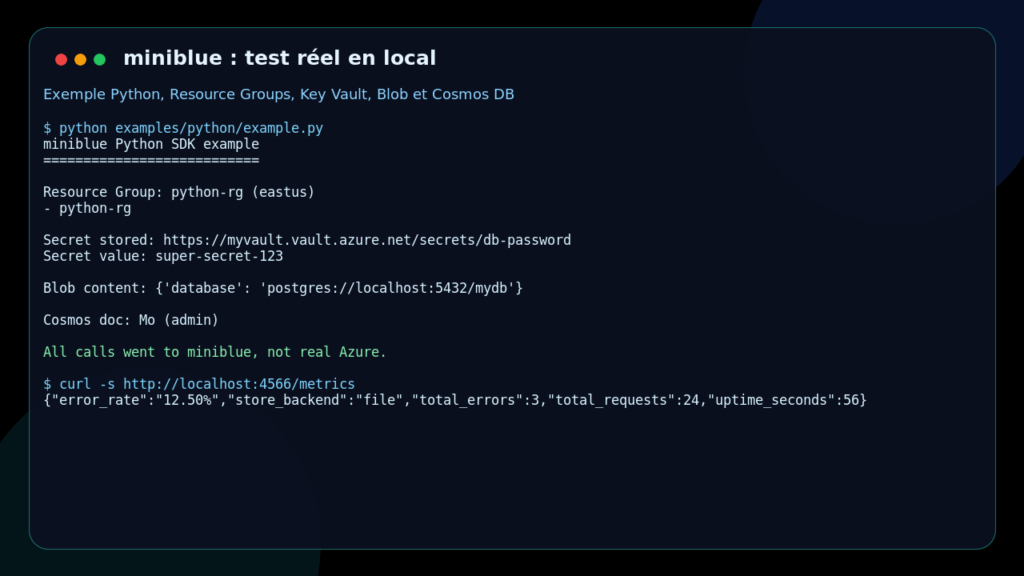
Second path: the Python example provided in the repo. After installing requests in a temporary venv, I ran examples/python/example.py. The scenario is more telling: creating a Resource Group, storing and reading a Key Vault secret, writing and reading a JSON blob, then inserting and retrieving a Cosmos DB document.
The final output said: All calls went to miniblue, not real Azure. Server metrics confirmed the requests, with a file storage backend and 24 requests at the time of measurement.
Does miniblue actually work?
Yes, for a very useful subset of the use case. The server starts fast, exposes a readable health endpoint, keeps local state, responds to HTTP calls close to Azure, and lets you validate application code without touching the cloud.
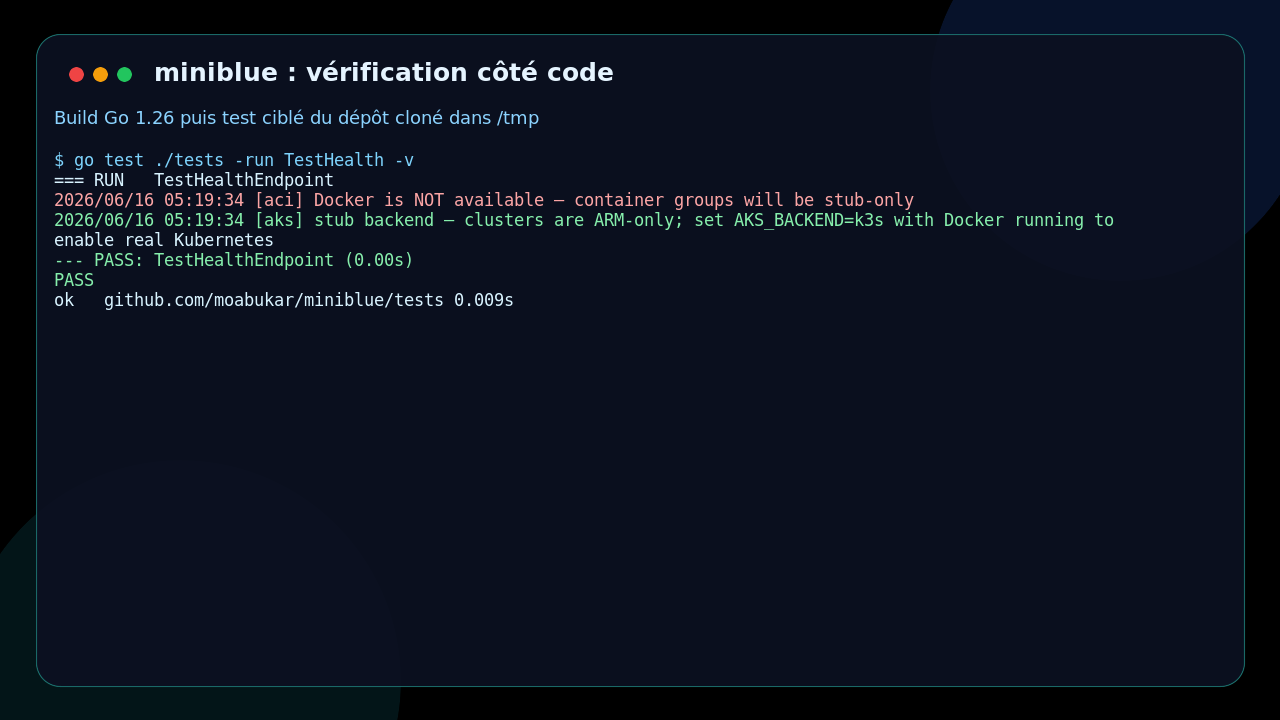
I also ran a targeted test from the repo:
go test ./tests -run TestHealth -v
Result: the TestHealthEndpoint test passes. The logs still note the same Docker limit: ACI is in stub mode and AKS doesn’t switch to a real Kubernetes backend without Docker.
For a security or DevOps freelancer, the nuance matters. miniblue speeds up local tests, CI pipelines, and demos, but it doesn’t replace an Azure staging environment for validating IAM, networking, certificates, policies, or the exact behavior of managed services.
What I like about miniblue
I like the single binary format. No need to spin up a heavy stack to test a few calls. That’s a real plus when writing integration tests that need to run fast in CI.
I also like the azlocal CLI. Even if it’s not perfect, it makes the product immediately concrete. To create a resource group or set a Key Vault secret, you don’t need to write your own client.
Another good point: the examples are straightforward. The Python example doesn’t fake it. It actually writes to several services and reads the values back. For evaluating a local dev tool, that’s far more useful than a marketing demo.
Finally, the logs are honest. When Docker is missing, miniblue says so. When the AKS backend isn’t real, it says so. That transparency helps avoid false positives.
The limits of miniblue
The first limit is fidelity. Some services are ARM representations or useful mocks, not full backends. For validating business logic, that’s often enough. For validating an Azure security posture, it’s not.
The second limit is the gap between usage paths. In my test, Blob via the Python example worked, but Blob via azlocal failed with AuthenticationFailed. A dev can work around it with direct HTTP calls, but that’s worth hardening if the CLI becomes the main interface.
The third limit is the Docker dependency for realistic use cases. Without Docker, ACI and AKS stay limited. In a CI environment without container privileges, you’ll need to pick your tested services carefully.
Finally, the project is young. The README mentions 27 services, the health API reports 29, and some commands could use better help messages. Nothing deal-breaking, but you should treat it as a tool that’s still evolving.
Should you adopt miniblue?
My verdict: definitely try it. Adopt it in CI for targeted application tests, yes, if your Azure needs align with the services already well covered. Skip it if you’re looking for an exact Azure simulation, especially around IAM, advanced networking, or real Kubernetes.
For a platform team or a DevOps freelancer, miniblue reduces the cost and friction of local testing. I’d use it as a quick safety net before heavier tests on a real Azure subscription.
The right use: write tests that create a few resources, set secrets, manipulate blobs, validate Cosmos DB payloads, then reset state. The wrong use: assuming a green run on miniblue guarantees a real Azure deployment will work.
FAQ
Does miniblue replace Azure locally?
No. miniblue replaces a subset of Azure calls to help you develop and test faster. It doesn’t reproduce the full Azure platform or its security guarantees.
Can you use miniblue without an Azure account?
Yes. That’s actually its main point: credentials are local and calls stay on your dev machine or in CI.
Is miniblue ready for CI?
Yes for targeted, fast tests, especially around application APIs. That said, document the services you’re actually using and keep staging tests on Azure for critical behaviors.