


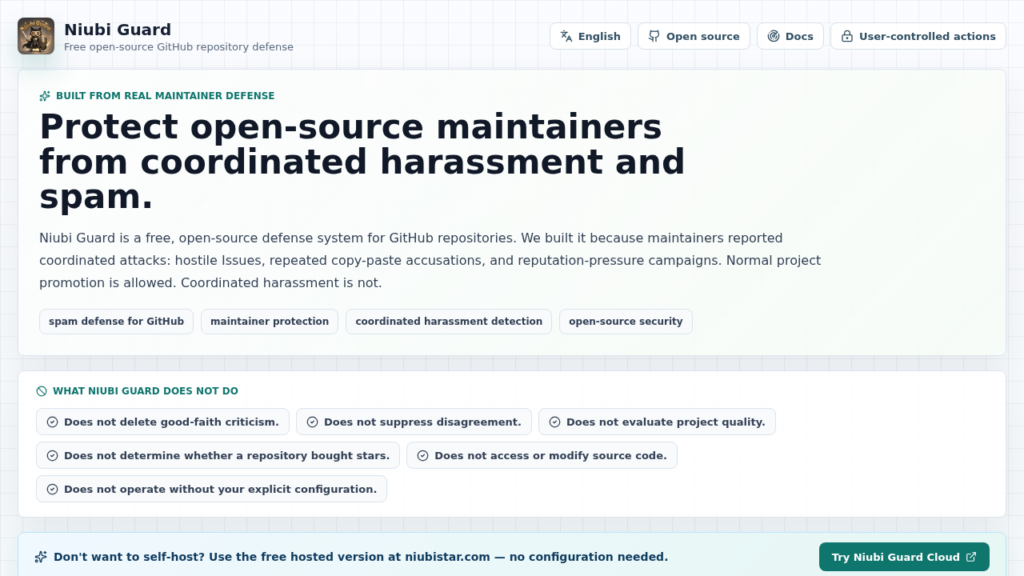
Niubi Guard is an open source tool that helps GitHub maintainers spot spam, harassment, and coordinated campaigns in Issues and comments. My short verdict: it’s worth trying if you manage an exposed repository, but I wouldn’t let it act on its own without human review.
What is Niubi Guard?
Niubi Guard presents itself as a defense system for GitHub maintainers. The idea is straightforward: you provide a list of repositories, detection rules, optionally an OpenAI-compatible model, and the tool scans Issues and comments.
It doesn’t claim to speak the truth on the maintainer’s behalf. Instead, it produces a risk report with labels, reasons, a score, and suggested actions. By default, it runs in dry run mode, so it applies nothing until you deliberately switch to action mode.
On paper, that’s a healthy approach. In security and DevOps, I strongly prefer a tool that shows its reasoning over a magic tool that silently deletes comments.
| Tested point | Observed result |
|---|---|
| Project type | Node.js CLI, TypeScript library, Next.js interface |
| Installation | pnpm install, tests and lib build OK |
| Rule-based detection | OK on keywords, banned users, recent accounts |
| AI detection | OK via local OpenAI-compatible proxy |
| Output produced | JSON report with risks, LLM evidence and suggested actions |
| Destructive mode | Not tested for real, dry run only |
Installing Niubi Guard
I cloned the repository into /tmp, read the README, the package.json, and the CLI, scanner, GitHub client, and LLM adapter code. The project requires Node 20 at minimum and uses pnpm.
One practical detail: in my environment, /tmp didn’t allow executing the esbuild binary installed by pnpm. So I kept the canonical clone in /tmp, then installed a temporary working copy in a scratch folder, deleted afterwards.
The basic commands I used:
git clone https://github.com/Albert-Weasker/niubi_guard /tmp/niubi_guard_scout
cd /workspace/scout-albert-weasker-niubi-guard/.scratch/work
pnpm install
pnpm test
pnpm build:lib
I also started the Next.js web interface with:
pnpm dev:web
Then captured the page with headless Chromium. The interface is mainly used to build a scan policy: GitHub token, repositories, rules, AI threshold, review mode, available actions.
Niubi Guard in practice
To avoid depending on a real GitHub repository to moderate and to avoid using a personal key, I tested the product core with a fixture GitHub client. This client returns three realistic events:
- an aggressive Issue accusing a project of buying stars, posted by a brand new account,
- a properly worded security disclosure Issue containing an allowlisted phrase,
- a spam comment with repeated links and a user already blocked by rule.
I enabled keyword rules, banned users, the recent account signal, and AI detection via the provided OpenAI-compatible proxy. The configured model was openai/gpt-4o-mini, with a local OpenAI-compatible backend.
The LLM configuration looked like this:
{
  "enabled": true,
  "baseUrl": "http://172.17.0.1:8790/v1",
  "apiKey": "sk-proxy",
  "model": "openai/gpt-4o-mini",
  "confidenceThreshold": 0.7,
  "reviewMode": "auto_plan"
}
The interesting output isn’t just the startup. Niubi Guard produced a real scan report: 1 repository, 3 events scanned, 2 detections, 0 errors. The security disclosure Issue was ignored thanks to the allowlist, which is exactly the expected behavior.
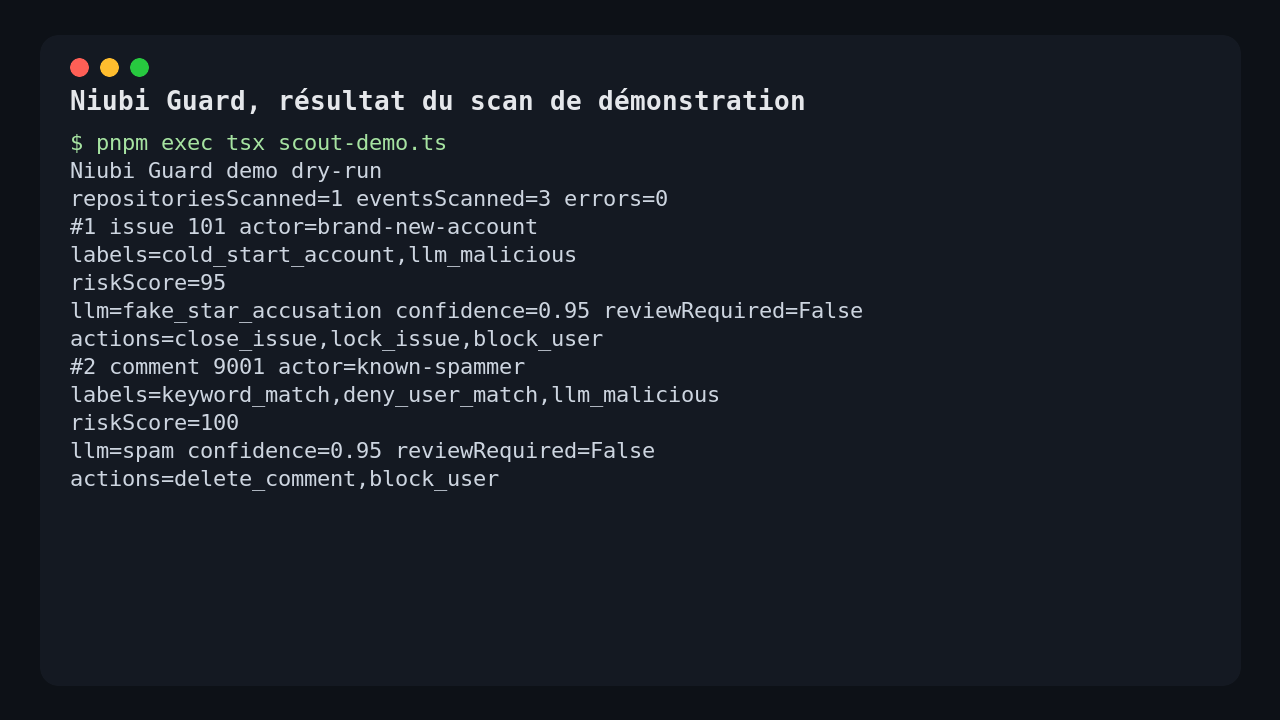
On the aggressive Issue, Niubi Guard combined two signals: recent account and malicious LLM verdict. The model returned the label fake_star_accusation, a confidence of 0.95, and textual evidence. The final risk score reached 95.
On the spam comment, the engine found the keywords, the banned user, and an AI verdict of type spam. The score reached 100. In dry run mode, the actions were listed but not applied: close the Issue, lock the Issue, delete the comment, block the user.
That’s what I expected from a defensive moderation tool: a readable action plan before any destructive action.
Does Niubi Guard actually work?
Yes, on the scenario I ran, the core works. The repository tests pass, the TypeScript library build passes, the web interface starts, and the scanner produces a coherent report.
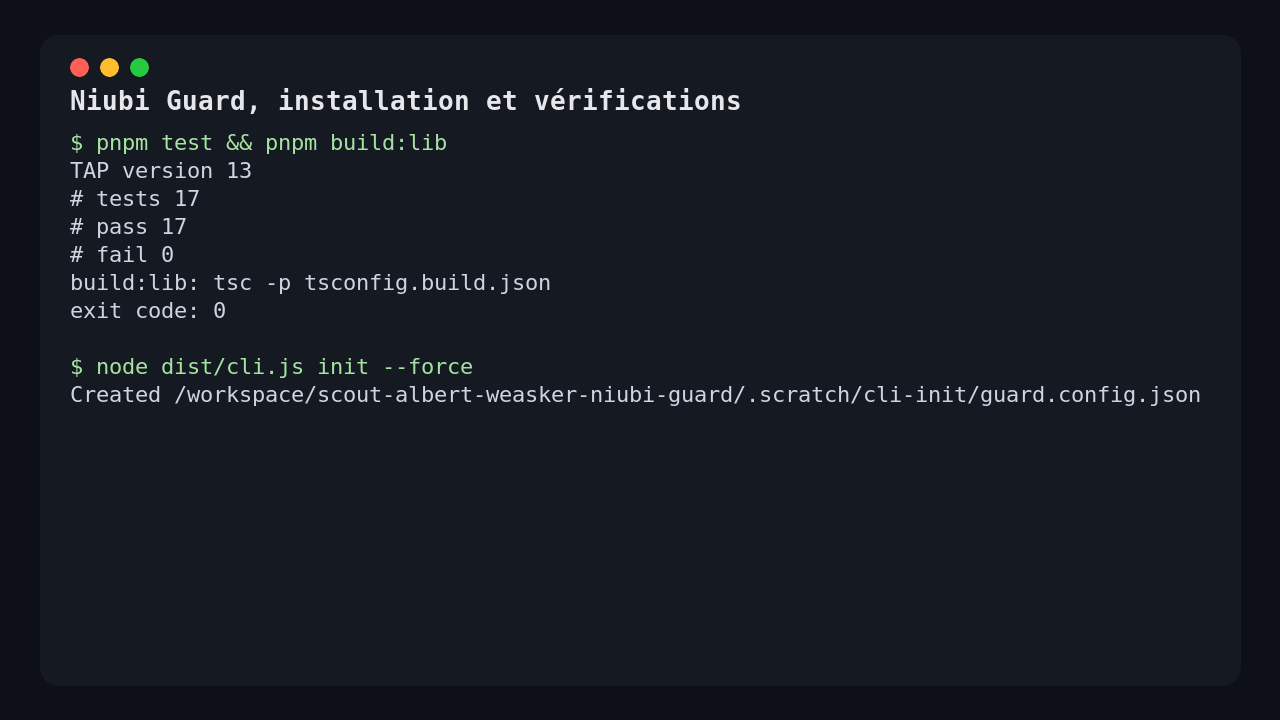
I verified three concrete things:
- the official tests pass, 17 successful tests,
pnpm build:libcompiles the CLI and library surface,- the demo scan actually calls the LLM proxy and integrates its response into the report.
The important point: the output includes both deterministic signals and the AI result. You can therefore distinguish obvious spam, a suspicious account, and a more semantic accusation detected by the model.
What I like about Niubi Guard
I like the choice of dry run by default. That’s the right reflex for a tool that can close, lock, delete, or block.
I also like the report structure. Each detection contains:
- the labels,
- matched keywords,
- the user involved,
- the risk score,
- the reason,
- the LLM result,
- the suggested actions.
Another good point: the configuration is explicit. Destructive actions are all set to false by default. You choose what you want to allow, repository by repository.
Finally, the AI adapter is simple and OpenAI-compatible. For a maintainer who wants to go through OpenRouter, an internal proxy, or a hosted model, that’s far more practical than a closed integration.
The limits of Niubi Guard
The first limit is GitHub itself. The CLI requires a GITHUB_TOKEN, and the official GitHub client doesn’t expose a simple config option to point to a mocked or Enterprise GitHub API. For my test without a real secret, I exercised the scanner through the library with a fixture client, not through actual moderation of a public repository.
Second limit: AI mode depends heavily on the model and the prompt. In my case, the verdict was good. But for a highly contentious repository, a false positive can quickly become costly if automatic actions are enabled.
Third limit: the project is still young. The roadmap mentions a review queue, labels, false positive management, threat fingerprinting, and a GitHub App. Those are exactly the building blocks that would take the tool from a solid operational prototype to a real day-to-day defense console.
I also note a minor packaging friction: on a /tmp mount without execution permissions, direct installation in the clone fails at the esbuild step. That’s not necessarily the project’s fault, but it’s a common scenario in CI or security sandboxes.
Should you adopt Niubi Guard?
My verdict: worth trying, not worth plugging in on autopilot from day one.
If you maintain an open source repository that attracts spam, copy-pasted comments, or repetitive accusations, Niubi Guard can already serve as a radar. I’d start by using it in dry run mode with a strict AI threshold, then compare its decisions against a human review for a few days.
For a small team, the best use is probably: scan, produce a report, decide manually. For a large open source organization, it still lacks a proper triage queue, false positive metrics, and a smoother GitHub App integration.
But the foundation is clean. The product doesn’t sell magic. It reads events, applies rules, queries a model if asked, and outputs a verifiable action plan. In 2026, for protecting an exposed GitHub repository, that’s already a useful building block.
FAQ
Can Niubi Guard automatically delete comments?
Yes, but only if you enable the relevant actions and launch application mode. By default, dry run lists the actions without executing them.
Does Niubi Guard need an OpenAI key?
Only if you enable AI detection. It accepts an OpenAI-compatible base URL, so you can use OpenAI, OpenRouter, or an internal proxy.
Does Niubi Guard replace a human maintainer?
No. It helps prioritize and document moderation decisions. I see it as a triage assistant, not an automatic judge.