


OpenLoomi is an open source AI assistant that wants to become the working memory for your agents, messages, and projects. After a real local test, my verdict is simple: the idea is solid and useful, but the product is still young, with an installation process that takes some serious DevOps patience.
What is OpenLoomi?
OpenLoomi presents itself as an open source alternative to an AI coworker in the style of Claude, with a specific angle: giving memory to agents. Not just a chat with history, but a space that aggregates documents, messages, decisions, tasks, connectors, and local memories.
The README talks about “Holistic Context”. In practice, that means: before an agent responds or acts, it can look up what has already been decided, who said what, which project is involved, and what actions are still open.
This is exactly the kind of building block that is often missing from agent stacks. You have LLMs, tools, crons, connectors, but operational memory quickly turns into a mess.
Installing OpenLoomi
I cloned the GitHub repo into /tmp, then ran the installation from a temporary working copy, with Node, pnpm, local SQLite, and the provided LLM proxy.
The developer docs describe:
git clone https://github.com/melandlabs/openloomi.git
cd openloomi
cp apps/web/.env.example apps/web/.env
pnpm install
pnpm tauri:dev
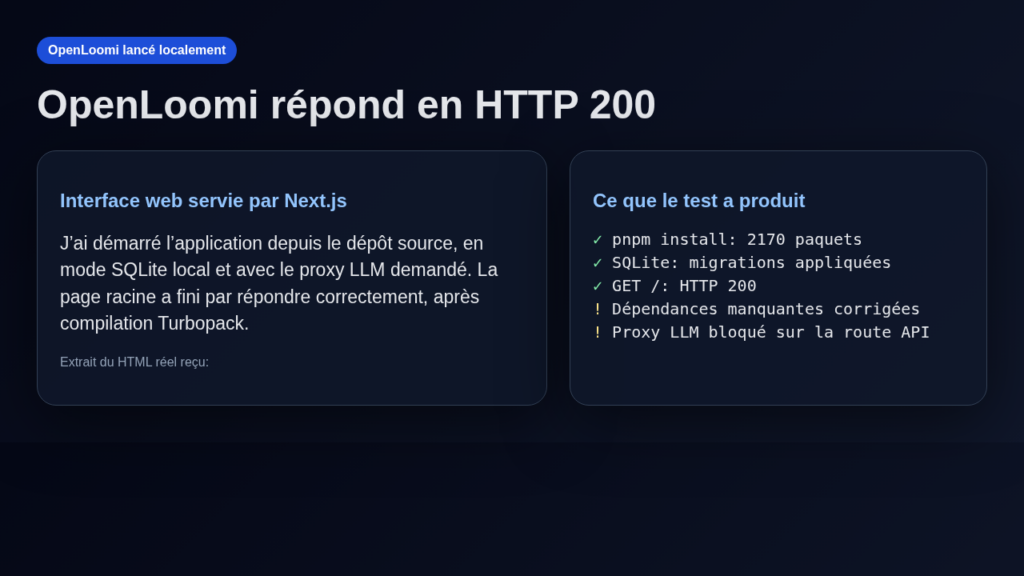
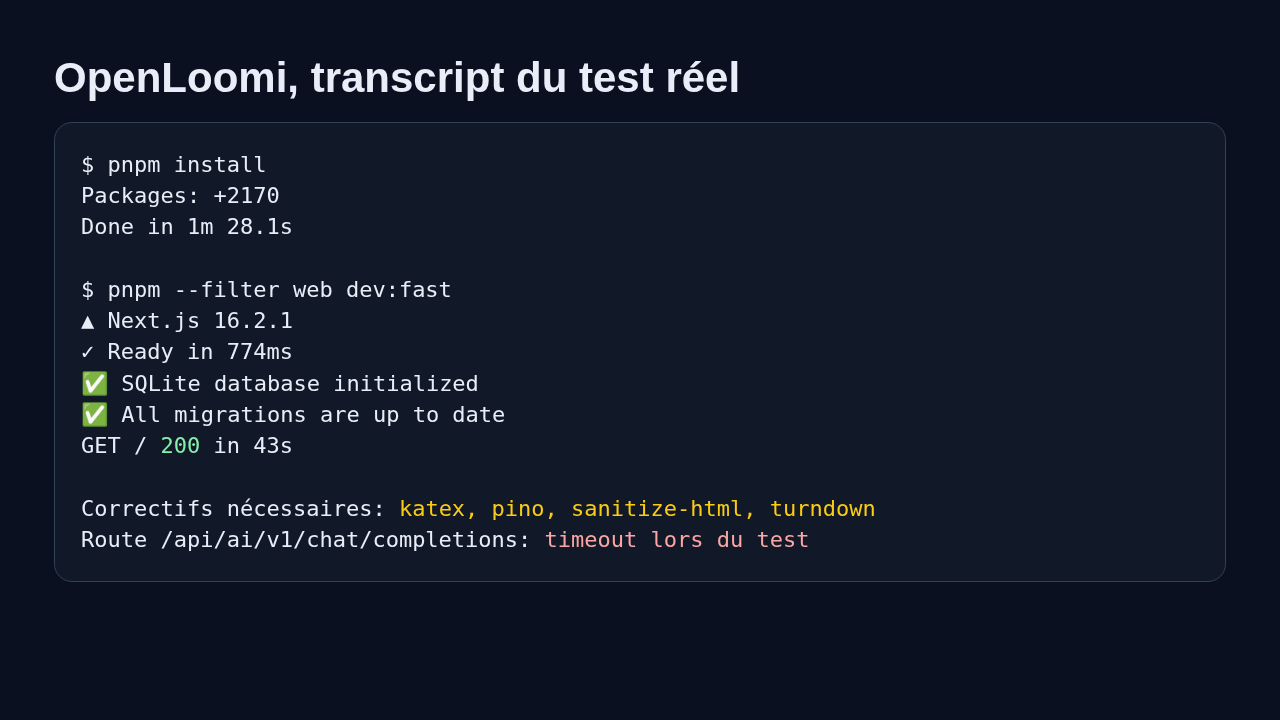
In my test environment, I did not run the full Tauri desktop application since Rust was not installed in the container. I tested the Next.js web portion, the SQLite migrations, and the local memory skill instead. That is a limitation of this test, but it is not a simple smoke test: I installed the dependencies, started the app, got an HTTP 200 response, and had OpenLoomi produce a queryable memory.
| Element | Observed result |
|---|---|
| Repo version | 0.6.1 |
| Visible stack | Next.js 16, React 19, pnpm monorepo, SQLite, Tauri |
| Installation | 2170 packages installed |
| Local database | SQLite initialized, migrations applied |
| Web app | / page served with HTTP 200 |
| LLM proxy | Configured, but the API chat route blocked during testing |
| Required fixes | katex, pino, sanitize-html, turndown added in the test environment |
Using OpenLoomi
My use case was intentionally practical: simulating a DevOps working memory with two pieces of information.
The first note was about Jarvis, an internal assistant that should keep track of decisions and incidents. The second was about a fictional client ACME with a reverse proxy migration decision.
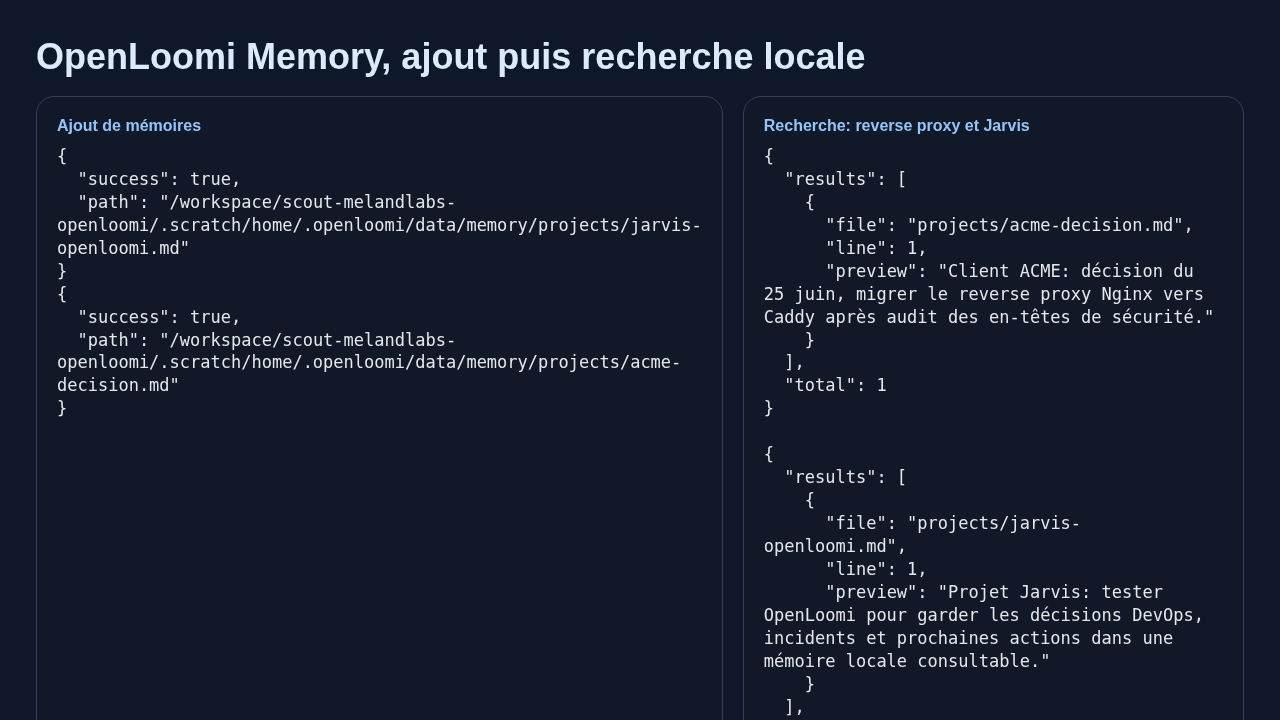
I used the openloomi-memory skill, included in the repo, to write and then search for this information in a local memory store under ~/.openloomi/data/memory/.
node skills/openloomi-memory/scripts/openloomi-memory.cjs add-memory \
  "Projet Jarvis: tester OpenLoomi pour garder les décisions DevOps" \
  --file=jarvis-openloomi.md --directory=projects

node skills/openloomi-memory/scripts/openloomi-memory.cjs search-memory "reverse proxy"
Actual result: OpenLoomi created the memory files, then retrieved the ACME decision and the Jarvis note with the path, line number, and an excerpt. It is basic, but it is clean, readable, and above all auditable. For a security or DevOps profile, that is a real plus: you can see exactly where the data lives.
What I like about OpenLoomi
The first strong point is the local-first orientation. File-based memory, SQLite, and readable skills give a healthy impression: you are not dealing with a black-box SaaS that hoovers everything up.
I also appreciate the product vision. OpenLoomi is not just selling “another agent”. It is trying to solve a real problem: how to give stable context to agents working on long-running projects.
Another interesting point is the included skills. The repo contains skills for memory, connectors, the API, documents, presentations, and other use cases. For a freelancer or a small team, this could become a library of reusable actions.
Finally, the product clearly lays out its connector ambitions: Gmail, Calendar, Telegram, WhatsApp, Slack, Discord, Jira, Notion, RSS, and more. I did not connect these services with real keys, but the architecture clearly shows where the project is headed.
The limitations of OpenLoomi
The main limitation right now is installation maturity. In my test, the pnpm install went through, but the web startup revealed several unresolved dependencies: katex, pino, sanitize-html, turndown. After adding them to the test environment, the web page eventually responded.
Another point: the Next.js startup is heavy. The first compilation took a long time, with a lot of logs. That is not shocking for a large monorepo, but it is not yet the “clone it and it just works” experience I expect from a tool aimed at a broad audience.
The OpenAI-compatible route /api/ai/v1/chat/completions was configured with the requested local proxy. It started compiling correctly, but the test request hung until timeout. I am therefore not going to claim the LLM chat works end to end in my environment.
One last point: the Tauri desktop app appears to be the primary user path. Without Rust in the container, I did not validate the full desktop package.
Does OpenLoomi actually work?
Yes, partially, and it is important to be precise about this.
What worked: installing the monorepo, starting the web app, initializing SQLite, running the migrations, getting an HTTP 200 page, and using the local memory skill to produce and retrieve files.
What did not fully work: the LLM flow via the chat API in my test, and the full Tauri desktop experience. For me, OpenLoomi is usable as a local memory building block and as a technical base worth exploring, but not yet as a product I would hand to a non-technical client without hand-holding.
Should you adopt OpenLoomi?
My verdict: try it, but do not adopt it in production without guardrails.
OpenLoomi is worth your time if you are building agents, an internal assistant, a project memory system, or a local AI workstation. For a freelance security or DevOps professional, the idea of keeping decisions and evidence in local files that an agent can then search is genuinely compelling.
On the other hand, if you are looking for an app that is ready for an end user, with friction-free installation and fully validated connectors, wait a little longer. The project is moving fast, but it still has the rough edges of a young monorepo.
I would put it in the category: “watch it and prototype with it”. Not hypeware, not yet a plug-and-play tool, but a real option for giving agents durable memory.
FAQ
Is OpenLoomi truly open source?
Yes, the repository is public on GitHub and licensed under Apache 2.0. The code, skills, and app structure are all inspectable.
Can OpenLoomi run without an OpenAI key?
Partly yes, particularly the local memory. For AI features, you need to configure an OpenAI-compatible provider, OpenRouter, or a local proxy as in my test.
Is OpenLoomi ready for non-technical users?
Not yet according to my test. The concept is promising, but the installation and some API paths still require solid Node, SQLite, and local environment debugging skills.