


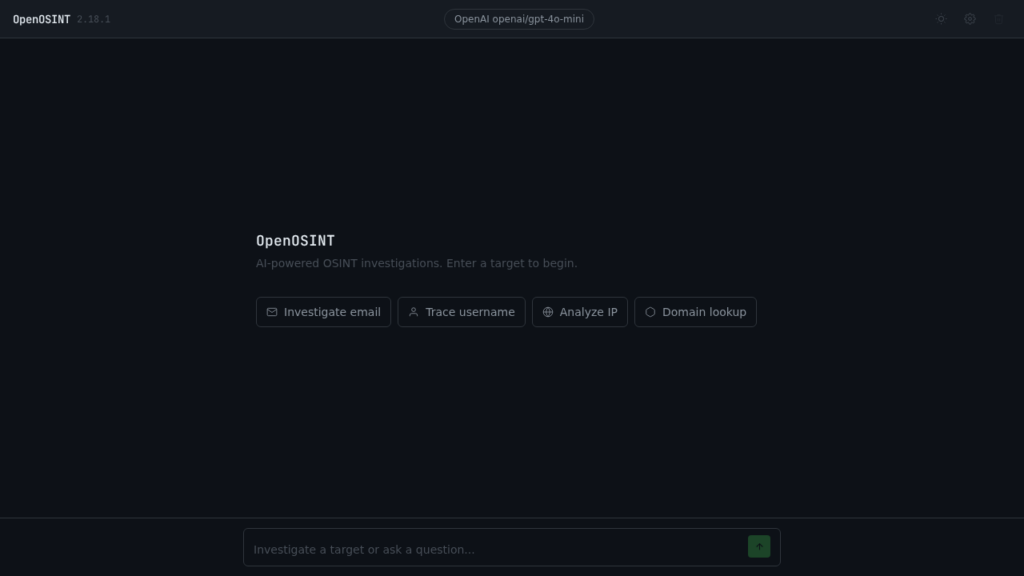
OpenOSINT is a Python OSINT agent that combines a CLI, a web interface, an AI REPL, and an MCP server. After a real test on the domain openosint.tech, my verdict is straightforward: it’s worth trying if you want to orchestrate multiple reconnaissance tools from one place, but it’s not yet the magic tool you can blindly run in production.
I installed it from the GitHub repository, connected it to a local OpenAI-compatible proxy, and ran it via the command line, the AI REPL, and the web interface. Here’s what actually worked, what broke, and who might find OpenOSINT useful.
What is OpenOSINT?
OpenOSINT presents itself as an AI-assisted OSINT agent. In practice, it’s an orchestration layer on top of several reconnaissance tools: DNS, WHOIS, GitHub, Shodan, VirusTotal, Censys, HaveIBeenPwned, Sherlock, Holehe, Sublist3r, dork generation, and a few paid integrations.
The project offers four ways to work:
- a direct CLI to call certain tools without AI,
- an interactive REPL where the model picks the tools,
- a web interface with chat and tool cards,
- an MCP server to connect OpenOSINT to a compatible client.
The concept is solid: instead of juggling fifteen commands, you give it an authorized target, the agent calls the right modules, and writes a summary.
| Point tested | Observed result |
|---|---|
| Package version | 2.20.0 in pyproject.toml |
| Language | Python 3.10 or higher |
| AI backend tested | OpenAI-compatible via local proxy |
| Concrete case | Investigation of the domain openosint.tech |
| Outputs obtained | WHOIS, DNS, GitHub, REPL report, web UI |
| Notable limitation | some tools depend on API keys or external binaries |
Installing OpenOSINT
I cloned the repository into /tmp, then installed the package in editable mode. One concrete detail: in my environment, /tmp is mounted with a restriction that prevents certain native libraries from loading from a virtualenv placed in /tmp. The direct CLI worked fine, but the AI REPL failed with a loading error on pydantic_core.
So I kept the clone in /tmp as planned, but installed the virtualenv in a separate working directory that I deleted afterward. The basic commands were:
git clone https://github.com/OpenOSINT/OpenOSINT /tmp/OpenOSINT
python3 -m venv /workspace/scout-openosint-openosint/.scratch/venv
/workspace/scout-openosint-openosint/.scratch/venv/bin/python -m pip install -e '/tmp/OpenOSINT[openai,pdf]'
For the AI backend, I didn’t bother with a real key. I used the provided local proxy:
export OPENAI_BASE_URL=http://172.17.0.1:8790/v1
export OPENAI_API_KEY=sk-proxy
export OPENAI_API_BASE=http://172.17.0.1:8790/v1
export OPENROUTER_BASE_URL=http://172.17.0.1:8790/v1
export OPENROUTER_API_KEY=sk-proxy
export OPENAI_MODEL=openai/gpt-4o-mini
The CLI exposes the expected subcommands for common use cases: dns, github, email, username, shodan, censys, web, multi, history, and others. One surprise though: the internal tool search_ip exists and the web interface lists it, but I couldn’t find a direct ip subcommand on the CLI side. For IP lookups, you need to go through the web interface, the AI REPL, or an internal integration.
OpenOSINT in practice
My use case was intentionally simple and authorized: look at the public infrastructure of openosint.tech, the project’s official domain. I started with a direct DNS call:
python -m openosint.cli --json dns openosint.tech
OpenOSINT produced structured JSON output. The key points:
[DNS] Domain: openosint.tech
[DNS] A: 185.199.111.153, 185.199.108.153, 185.199.110.153, 185.199.109.153
[DNS] NS: tech-domains.earth.orderbox-dns.com, tech-domains.mars.orderbox-dns.com
[!] No SPF record found: anyone can spoof email from this domain.
[!] No DMARC policy found: no enforcement of SPF/DKIM failures.
[!] No DKIM records found for common selectors.
This is useful because the output doesn’t just list records. It adds a basic security reading, in this case the absence of detectable SPF, DMARC, and DKIM. For a security freelancer or DevOps engineer, that kind of signal is actionable in a pre-audit.
I then tested the GitHub tool:
python -m openosint.cli --json github OpenOSINT
Result: the organization profile was found with name, bio, location, public email, repository count, and most recent repo. Again, nothing revolutionary, but clean and fast.
OpenOSINT with the AI agent
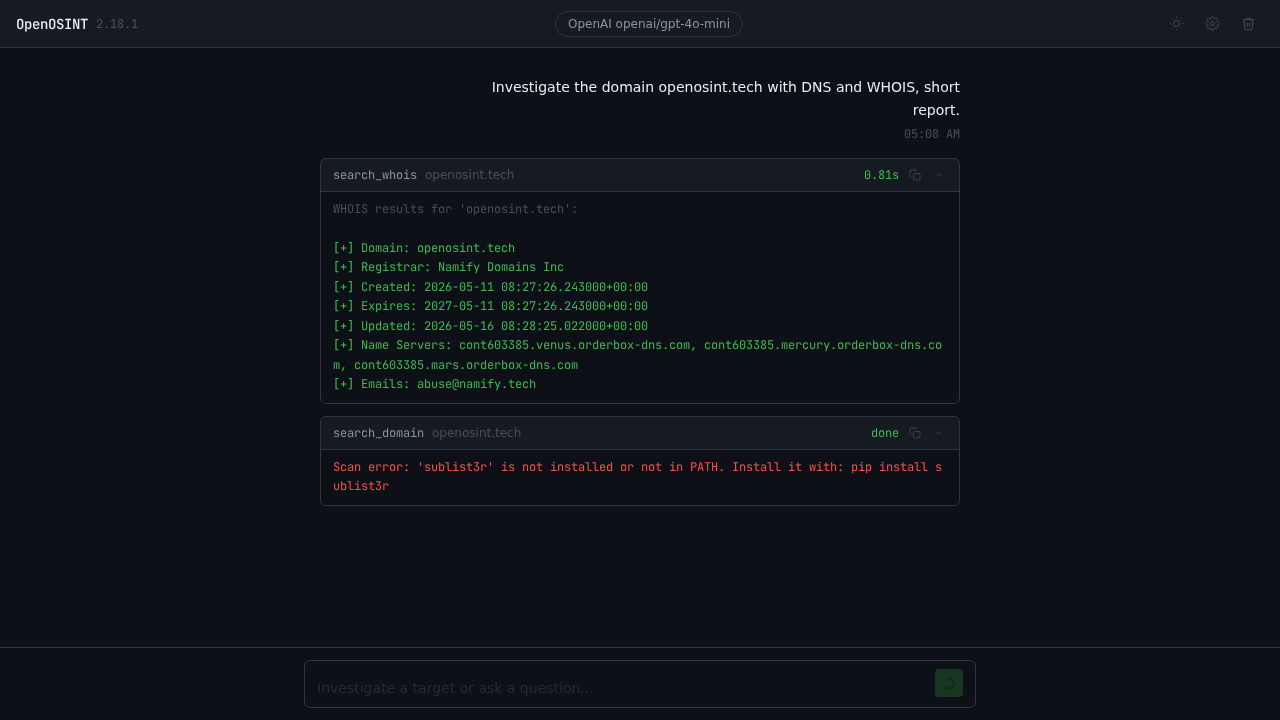
The most interesting test was the AI REPL. I asked it to investigate openosint.tech, use DNS and WHOIS, then write a short report. The model called two real tools:
Thinking...
→ search_whois(domain='openosint.tech')
→ search_dns(domain='openosint.tech')
The produced report included the registrar, creation and expiration dates, name servers, GitHub Pages IPs, a Google Site Verification TXT record, and email policy limitations. A Markdown file was even automatically saved in a session reports/ folder.
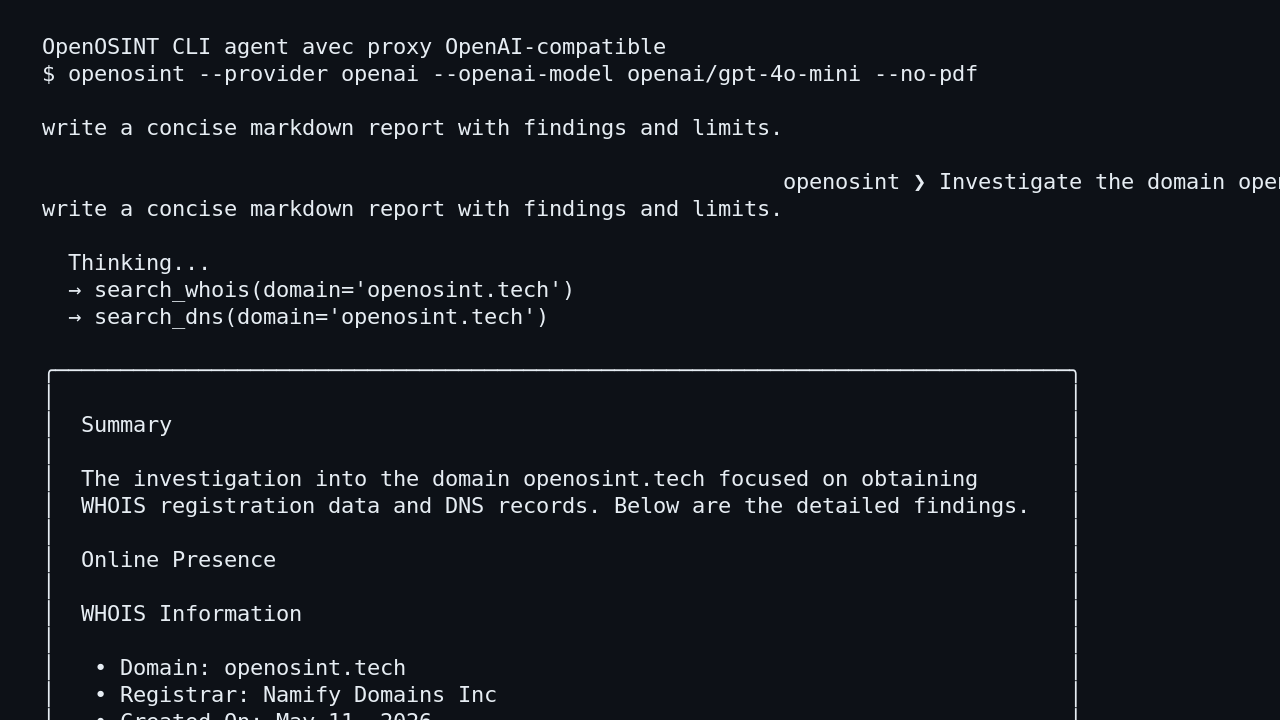
I also launched the web interface on 127.0.0.1:8787 and called the API:
curl -s http://127.0.0.1:8787/api/health
curl -s -X POST http://127.0.0.1:8787/api/run/search_whois \
  -H 'Content-Type: application/json' \
  -d '{"input":"openosint.tech","timeout":60}'
The server responded with status: ok, backend openai, then a full WHOIS result. In the web chat, the model called search_whois, then attempted search_domain. That second step returned a very clear limitation: sublist3r was not installed. That’s actually healthy behavior: the tool doesn’t hide the failure and tells you exactly which dependency is missing.
What I like about OpenOSINT
First good point: the direct tools are useful without AI. For DNS, WHOIS, or GitHub lookups, you get structured, scriptable, readable results.
Second good point: agent mode shows tool calls. You can see what the model decides to do and verify whether the report actually matches the raw data.
Third good point: the web interface is pleasant. Tool cards make the flow much more readable than a wall of logs, especially when presenting results to a non-technical client.
Finally, the OpenAI-compatible support is a real advantage. Being able to plug in a local proxy or a model router avoids being locked into a single provider.
The limitations of OpenOSINT
The promise is ambitious, but it pays to keep expectations grounded. Several tools depend on external API keys: Shodan, VirusTotal, Censys, HaveIBeenPwned, AbuseIPDB, Bright Data. Without those keys, OpenOSINT is still useful, but significantly less complete.
Another limitation: some modules rely on third-party binaries like sherlock, holehe, sublist3r, or phoneinfoga. If you don’t install them, the tool returns a clean error, but the investigation won’t go all the way.
I also noticed a maturity gap between interfaces. The README lists 16 tools, the agent and the web UI know them all, but the direct CLI doesn’t expose everything symmetrically. That’s not a blocker, but it matters if you want to automate things in shell scripts.
Does OpenOSINT actually work?
Yes, in my test, OpenOSINT genuinely produced data. It resolved the DNS records for openosint.tech, retrieved the WHOIS, flagged the missing email policies, and queried GitHub. The AI REPL correctly used the OpenAI-compatible proxy and wrote a report grounded in the tool results.
No, it’s not a complete replacement for an OSINT methodology. It’s an accelerator. You still need to validate conclusions, especially when the model summarizes results or picks a tool that’s a bit too broad, like the search_domain attempt when I had only asked for DNS and WHOIS.
Should you adopt OpenOSINT?
My verdict: try it, but don’t adopt it blindly.
For a security freelancer, a DevOps engineer doing pre-audits, or a small team that wants to centralize authorized reconnaissance, OpenOSINT is a solid foundation. I see it working well as a collection console and first-pass summary tool.
For a mature team, I’d keep it behind a control layer: authorized targets only, tools enabled explicitly, logs retained, API keys isolated, and reports reviewed before sharing. The potential is there, especially with MCP, but the tool needs guardrails.
FAQ
Does OpenOSINT replace an OSINT analyst?
No. It speeds up collection and summarization, but the analyst still needs to verify sources, legal scope, and conclusions.
Can you use OpenOSINT without an API key?
Yes, for certain tools like DNS, WHOIS, public GitHub lookups, or dork generation. For Shodan, VirusTotal, Censys, HaveIBeenPwned, or Bright Data, dedicated keys are required.
Is OpenOSINT suitable for client work?
Yes for a pre-audit or a controlled demonstration. For a client deliverable, I recommend keeping the raw data, noting the limitations, and reviewing the AI report before sending it.