


RMUX is a terminal multiplexer written in Rust, designed to control sessions, panes, and CLI applications from code. After a real local test, my verdict is straightforward: it works, it shows real promise for automation, but it is not yet the obvious tmux replacement for everyone.
What is RMUX?
RMUX presents itself as a universal multiplexing engine. In plain terms, it covers a large portion of tmux’s command surface, but adds a typed layer for developers: Rust SDK, Python SDK, TypeScript SDK, local daemon, pane captures, waits on visible text, JSON output, and a web share mode.
The useful idea, especially on the DevOps side, is not just keeping a shell alive. It is being able to say from a program: create a session, run this command, wait for a specific piece of text to appear, grab what is displayed, then clean up. For driving a CLI, a TUI, a code agent, or a diagnostic tool, that is cleaner than cobbled-together expect scripts.
| Point tested | Result |
|---|---|
| Version tested | RMUX 0.8.0 from the GitHub repository |
| Platform | Linux x86_64 in a container |
| Installation | Rust build then Cargo install from the repository |
| Command surface | 90 commands listed by rmux list-commands |
| Real use case | Detached session, injected command, text wait, pane capture, split |
| SDK | Official Rust examples run against the local daemon |
Installing RMUX
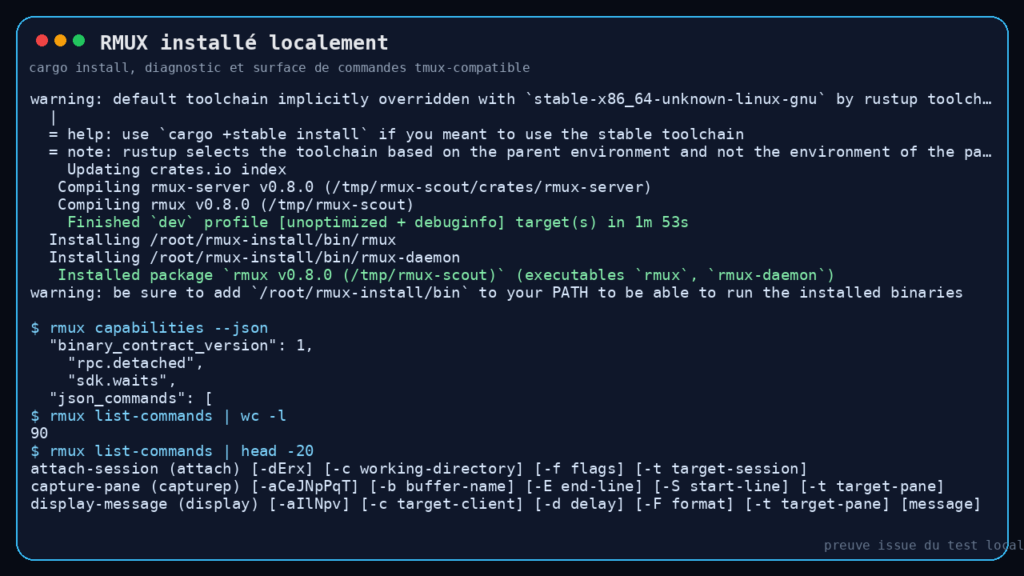
The README offers several methods: Homebrew, Winget, Linux packages, Nix, direct download, and Cargo. For this test, I cloned the repository into /tmp, then compiled and installed from source.
First thing to note: the system Rust toolchain was too old. The build rejected Rust 1.85 because some dependencies required Rust 1.88 or later. With stable Rust 1.96.1, the build went through fine.
Main commands I used during the test:
git clone https://github.com/Helvesec/rmux /tmp/rmux-scout
cd /tmp/rmux-scout
cargo build --workspace --locked
cargo install --path . --locked --debug
rmux -V
rmux diagnose --human
The full compilation took several minutes, which is normal for a Rust workspace covering a daemon, IPC, SDK, web share crypto, and terminal integrations. Once installed, rmux -V returned rmux 0.8.0.
RMUX in Practice
I wanted to avoid the fake test that stops at printing a version number. So I launched a real detached session, injected a shell command, asked RMUX to wait for visible text, then captured the pane content.
Here is the scenario:
rmux new-session -d -s scout -x 100 -y 28 bash
rmux send-keys -t scout:0.0 -l "printf 'RMUX demo: build audit\n'; uname -srmo; printf 'Repo files: '; find /tmp/rmux-scout -maxdepth 2 -type f | wc -l; printf 'Checksum sample: '; printf rmux | sha256sum | cut -c1-16; printf '\nDone from inside RMUX pane\n'"
rmux send-keys -t scout:0.0 --wait-visible-text "Done from inside RMUX pane" --timeout 10s -- Enter
rmux capture-pane -p -t scout:0.0 -S -30
rmux split-window -h -d -t scout:0.0 "printf 'split-pane-ready\n'; sleep 2"
rmux list-panes -t scout
rmux capture-pane -p -t scout:0.1 -S -10
rmux kill-session -t scout
What this produced in practice: RMUX kept a local session alive, sent a command line into the shell, waited for the string Done from inside RMUX pane to be rendered, then gave me the visible terminal content. That content included the Linux kernel version, the file count found in the repository, and a small checksum computed inside the pane.
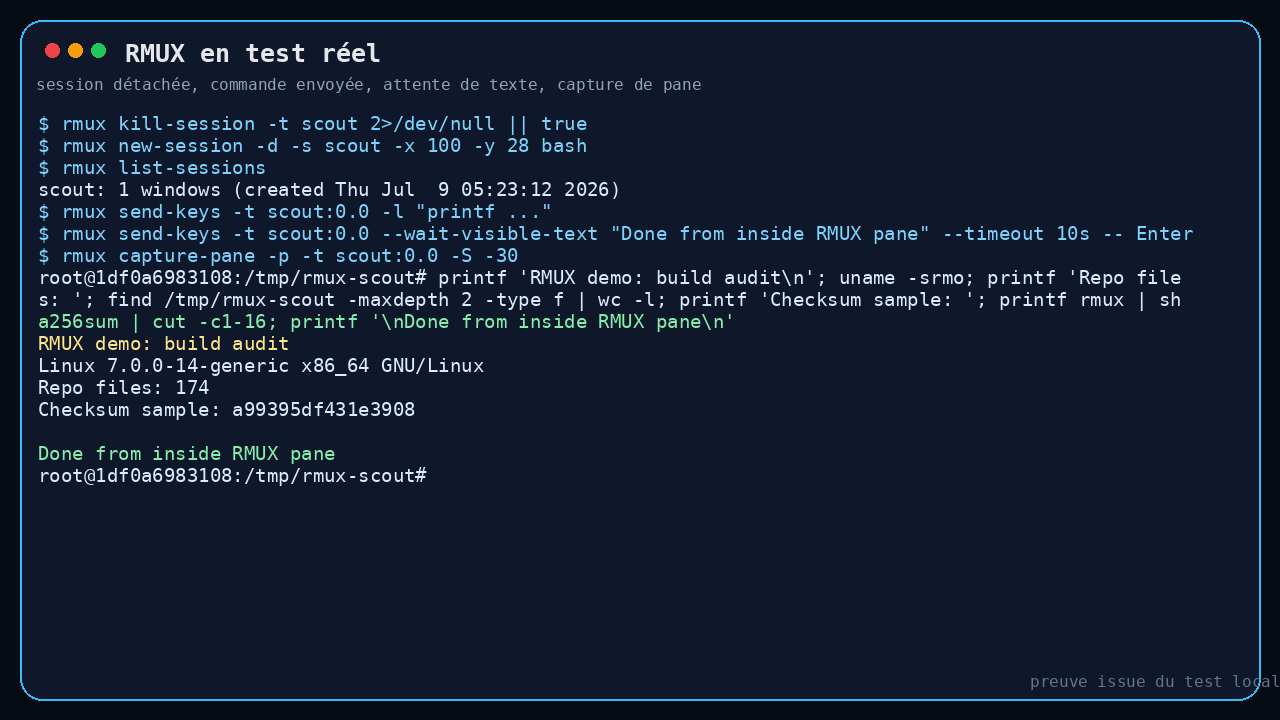
The pane split also worked: list-panes showed two panes, one active at 50x28, a second at 49x28, and the capture of the second pane contained split-pane-ready. Not visually spectacular, but exactly the kind of detail that matters for reliable automation.
RMUX with Its Rust SDK
The big draw of RMUX is typed control. So I ran several official Rust SDK examples:
cargo run -p rmux-sdk --example sdk_demo_snapshot
cargo run -p rmux-sdk --example sdk_demo_split_window
cargo run -p rmux-sdk --example collect_until_exit
The snapshot example produced visible text from a pane:
visible text:
user@rmuxio:~/workspace$ uname -s
Linux
The split example created a pane via the SDK and confirmed:
split pane: split:0.1
visible panes: 2
The collect example finished with:
collected 14 bytes (truncated=false, lagged=false, missed=0)
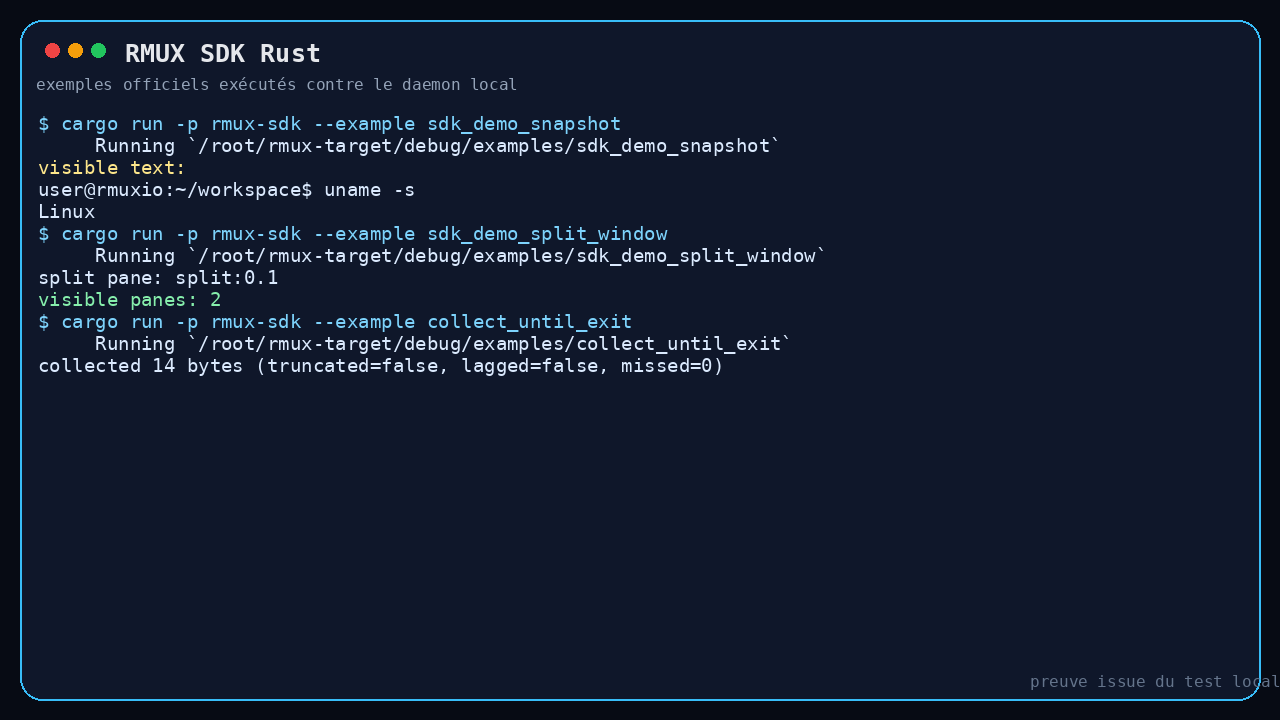
This is where RMUX gets interesting. For freelance security or DevOps work, you can picture scripts that launch a scanner, wait for a banner, capture a result, spin up another pane, or orchestrate multiple CLI tools without manually parsing a pseudo terminal.
What I Like About RMUX
First good point: the model is local. Sessions, shells, and panes stay on the machine. Web share exists, with an ambitious security pitch, but the core product does not depend on a cloud service.
Second good point: the wait-on-visible-text API is genuinely useful. In my test, the visible text wait option eliminated the need for a fragile sleep 3. For automation, that is a real difference.
Third good point: the tmux compatibility is not just a marketing claim. rmux list-commands listed 90 commands, including familiar ones like new-session, send-keys, capture-pane, split-window, list-panes, and display-message.
I also appreciate the JSON output on certain commands and the human-readable diagnostic, which exposes the version, OS, socket path, and capabilities.
The Limits of RMUX
The first limit is perceived maturity. The project is already dense, but the ecosystem around tmux is enormous. If you have ten years of tmux config, plugins, keybindings, and habits, RMUX will not replace all of that in a single evening.
The second limit is source installation. It worked, but only after updating Rust. For a general-purpose terminal tool, that detail can lose people. Precompiled packages exist, but on a CI machine or a minimal container, you need to check the toolchain first.
Third limit: some options remain sparse on the CLI help side. The help output stays close to tmux, but explains little. The web documentation and SDK examples feel essential for understanding the real value of the tool.
Finally, I did not validate web share or native Windows behavior here. This test covers the local Linux core, not the full announced scope.
Should You Adopt RMUX?
My verdict: try it, especially if you automate CLIs or TUIs. RMUX genuinely works on the scenario I tested: session creation, command injection, text waiting, capture, split, and the Rust SDK.
I would not push it everywhere as a hard tmux replacement on my servers just yet. That said, I would keep it in my toolbox for agents, terminal testing, CI workflows that need to drive an interactive CLI, or local orchestration prototypes.
For a typical user who just wants to detach an SSH session, tmux remains the more obvious choice. For a developer who wants to control the terminal from code, RMUX clearly deserves a try.
FAQ
Does RMUX replace tmux?
Not necessarily. It covers a large part of tmux’s surface, but its strong angle is typed, cross-platform automation. If tmux already does what you need, there is no urgent reason to migrate.
Does RMUX require an OpenAI or OpenRouter key?
No, not for the core tested here. My tests used no LLM whatsoever: only the local daemon, the CLI, and the Rust SDK.
Is RMUX useful for autonomous agents?
Yes, potentially. Its ability to create panes, send keystrokes, wait for visible text, and capture terminal state maps well to agents that need to control real CLI tools.