


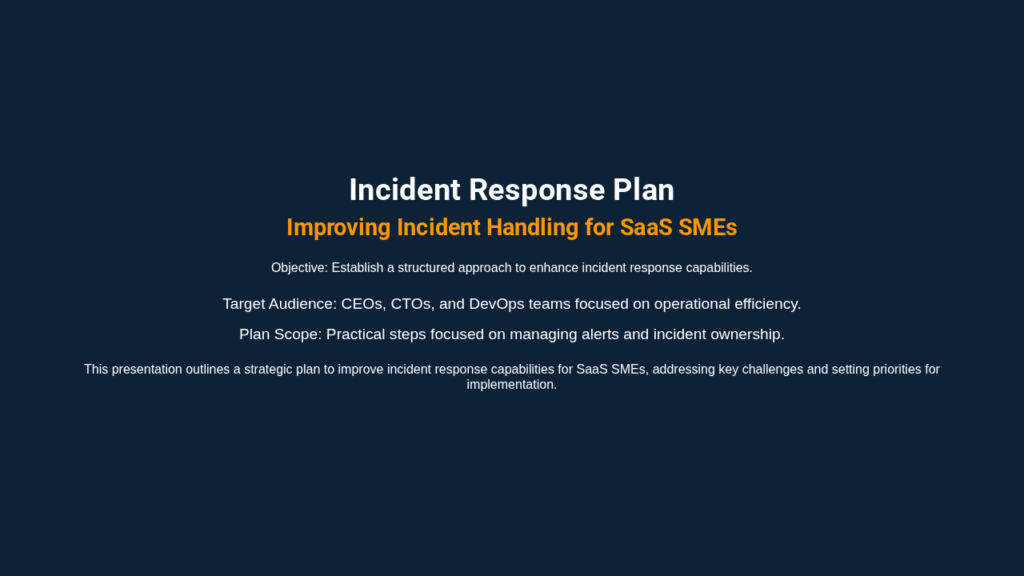
SenseNova-Skills is a modular skill repository for AI agents, focused on office tasks: Excel analysis, research, image generation, and presentation creation. I tested it on a real DevOps use case, generating a mini incident response deck, and my verdict is straightforward: it works better as an agent building block than as a ready-to-use product.
What is SenseNova-Skills?
SenseNova-Skills is not a typical web application. It’s a collection of skills/ folders, each containing a SKILL.md file, prompts, a few Python or Node scripts, and artifact contracts. The idea is to plug these skills into an Agent Skills-compatible runtime, such as OpenClaw or Hermes Agent.
The repository covers four families useful in office settings:
| Family | What it promises | Example output |
|---|---|---|
| Image and visualization | Generate or analyze images | visuals, infographics |
| PPT | Build a presentation | HTML per slide, PPTX |
| Data analysis | Read and analyze spreadsheets | CSV, Excel, charts |
| Deep research | Plan and synthesize research | Markdown or HTML report |
From my perspective as a freelance security and DevOps practitioner, the interesting part isn’t the SenseNova marketing. It’s the structure: the repository provides broken-down procedures, callable by an agent, with readable intermediate artifacts. That’s far more auditable than AI demos that do everything inside a black box.
Installing SenseNova-Skills
I cloned the repository from GitHub into /tmp, then read the README, the installation guide, and the scripts for the sn-ppt-standard skill. The repository doesn’t install like a single CLI tool. The standard path involves copying skills into a compatible runtime and letting the agent call them.
For a controlled test, I ran the standard PPT skill pipeline directly. I installed the required Python dependencies in a temporary environment, configured an OpenAI-compatible endpoint through a local proxy, then ran the documented steps of the run_stage.py script.
The model variables I used pointed to the provided local proxy, with a current OpenRouter model:
export OPENAI_BASE_URL=http://172.17.0.1:8790/v1
export OPENAI_API_KEY=sk-proxy
export OPENAI_API_BASE=http://172.17.0.1:8790/v1
export OPENROUTER_BASE_URL=http://172.17.0.1:8790/v1
export OPENROUTER_API_KEY=sk-proxy
export SN_TEXT_BASE_URL=http://172.17.0.1:8790/v1
export SN_TEXT_API_KEY=sk-proxy
export SN_TEXT_MODEL=openai/gpt-4o-mini
I then created a task_pack.json and an info_pack.json for a concrete scenario: preparing a short presentation for a CEO, a CTO, and a DevOps team following recurring production alerts.
SenseNova-Skills in Practice
The actual test focused on sn-ppt-standard, the part that turns a request into style, outline, assets, HTML slides, and a PPTX export.
I ran the following steps:
python run_stage.py preflight --deck-dir /tmp/sn-test-deck
python run_stage.py style --deck-dir /tmp/sn-test-deck
python run_stage.py outline --deck-dir /tmp/sn-test-deck
python run_stage.py asset-plan --deck-dir /tmp/sn-test-deck
python run_stage.py batch-page-html --deck-dir /tmp/sn-test-deck --concurrency 2
python run_stage.py export --deck-dir /tmp/sn-test-deck
The pipeline produced concrete files:
style_spec.json
outline.json
asset_plan.json
pages/page_001.html
pages/page_002.html
pages/page_003.html
sn-test-deck.pptx
The first interesting step is style. The model picked a “Classic Business” style, a navy blue palette, an orange accent, and a light theme. This isn’t just a text response: the result is written to style_spec.json, which the subsequent steps consume.
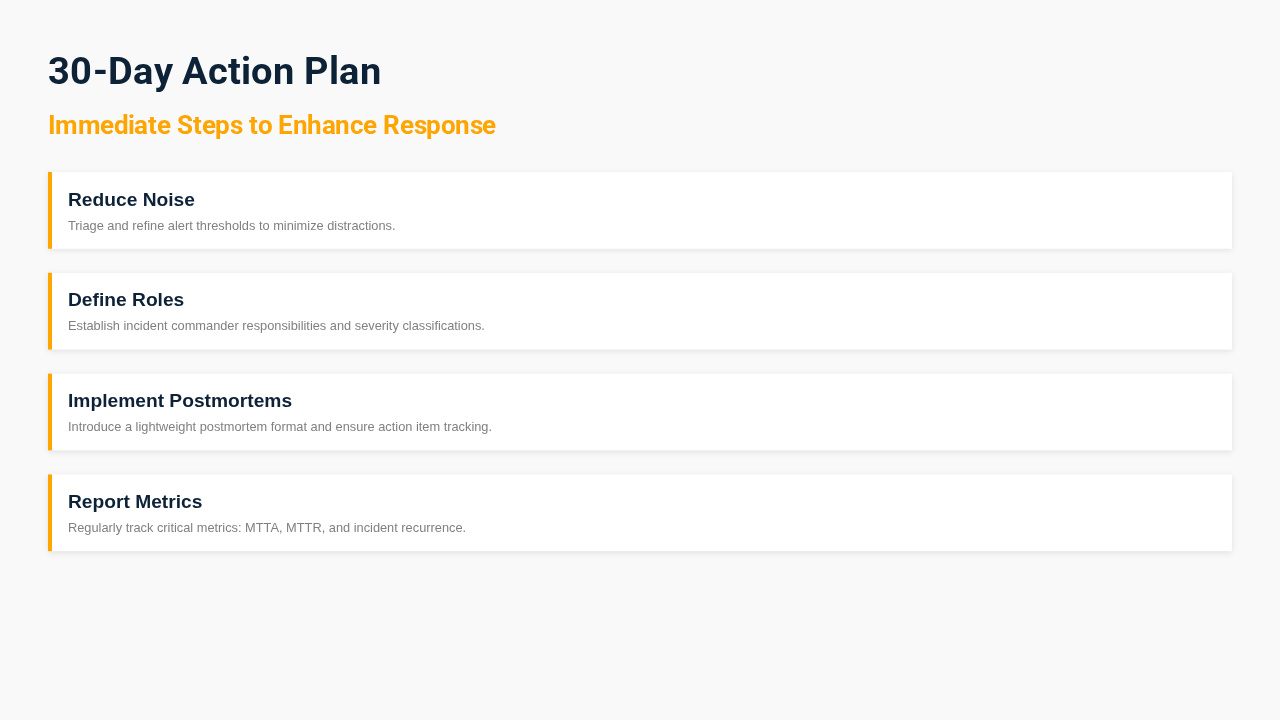
The second step, outline, generated three slides: a cover, identified problems, and a 30-day action plan. The content was consistent with the DevOps brief: alert noise, unclear incident roles, missing postmortems, weak reporting, then KPIs like MTTA, MTTR, and incident recurrence.
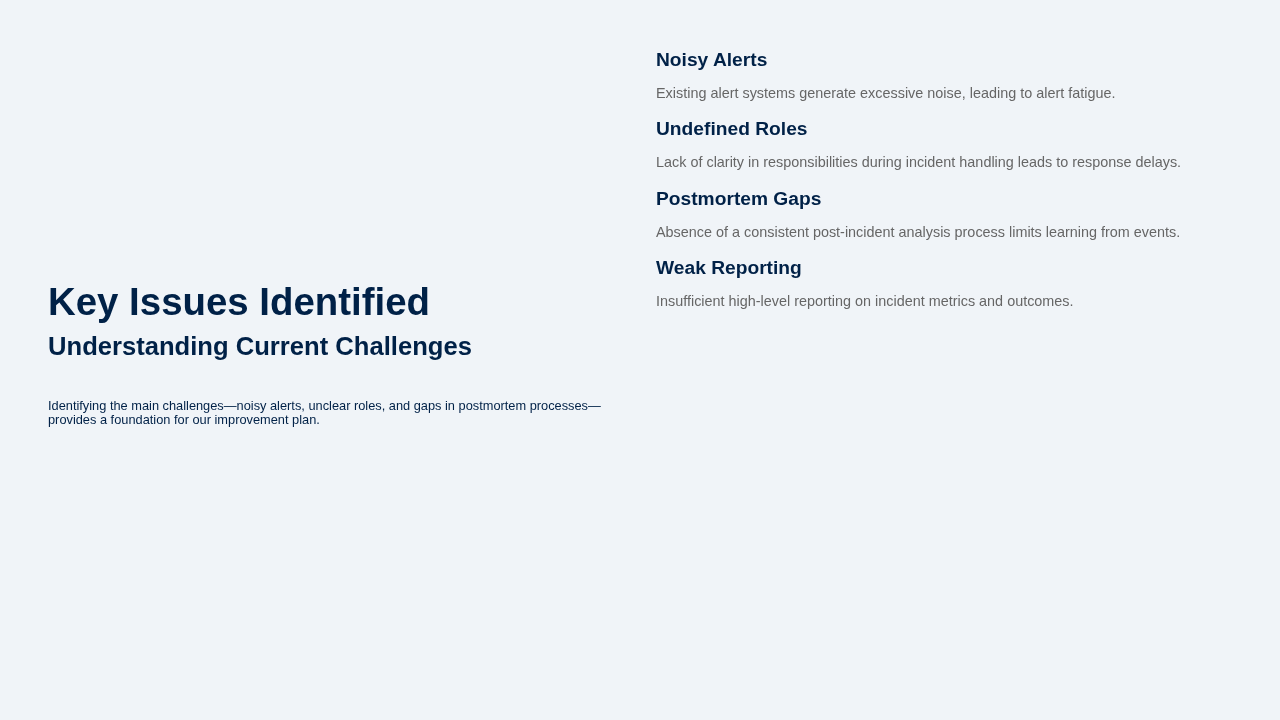
The third step, batch-page-html, produced one HTML page per slide. I then rendered those pages in headless Chromium to visually verify the result. The slides aren’t stunning, but they’re usable: clear structure, readable hierarchy, text aligned with the topic.
Finally, the PPTX export worked after installing the Node dependencies and the Playwright browser the converter expected. The observed output was clean:
{"status": "ok", "pages": 3, "converted": 3, "failed": 0}
So yes, for this specific case, SenseNova-Skills actually produced a PPTX deck, not just a promise in a README.
What SenseNova-Skills Does Well
The first strong point is the separation of steps. Style, outline, assets, HTML, and export are distinct phases. In practice, this lets you review the model’s decisions before generating the next stage. For professional use, that’s reassuring.
Second positive: the artifacts are simple. JSON, HTML, Markdown, and a final PPTX. You can version, inspect, correct, and rerun a step. That’s exactly what I expect from a reliable automation building block.
Third point: the repository assumes the real-world context of agents. Skills aren’t just prompts thrown in a corner. They describe triggers, prerequisites, expected outputs, and possible retries. For integrating this into an autonomous assistant, that’s a better foundation than an experimental notebook.
I also appreciate that the PPT pipeline generates HTML first. For a DevOps or content team, that’s practical: you can preview in a browser, capture, validate, and then export.
The Limits of SenseNova-Skills
The first limit is installation. For a general audience, this is not a “clone and run” product. You need to understand the Agent Skills model, choose a runtime, configure an LLM endpoint, and sometimes install Python and Node dependencies by hand.
The second limit is operational fragility. During my test, the PPTX export initially failed because Playwright was looking for Chromium in a different cache. That’s no big deal for a DevOps engineer, but it’s exactly the kind of detail that blocks a user in a hurry.
The third limit is visual quality. The generated deck is readable and coherent, but it doesn’t replace a real designer. The slides are clean, not premium. For an internal draft, it’s fine. For an important client presentation, I’d do another pass.
Finally, everything depends heavily on the agent runtime. The repository provides the skills, not the full experience. Without OpenClaw, Hermes, or a custom orchestrator, part of the value remains theoretical.
Does SenseNova-Skills Actually Work?
Yes, for the scenario I tested. I got a JSON style spec, a structured outline, three HTML pages, and an exported PPTX. The content matched the security and DevOps brief I started with.
But some nuance is needed: I didn’t validate the entire repository. I didn’t run the image, deep research, and Excel workflows end to end. My serious test covers the standard PPT pipeline, with a real LLM call and a real browser render.
For me, that’s enough to say the repository contains usable code, not just marketing examples. It’s not enough to say the full suite is production-ready.
Should You Adopt SenseNova-Skills?
My verdict: try it, don’t commit blindly.
If you’re building an internal assistant, SenseNova-Skills is a solid source of building blocks. The skill breakdown, the specialized prompts, and the export scripts give you a concrete base for producing reports, decks, or semi-automated analyses.
If you’re looking for a finished tool for your business teams, I’d be more cautious. It’s missing a product layer, smoother installation, and operational guardrails.
For a technical team that wants to build an office-focused agent, I’d put it in the “worth prototyping” category. For a small business that just wants to generate slides tomorrow morning, I’d recommend a fully packaged tool instead.
FAQ
Does SenseNova-Skills require a SenseNova API key?
Not necessarily, if your runtime accepts an OpenAI-compatible endpoint. In my test, I used a local proxy with openai/gpt-4o-mini, and the PPT pipeline worked fine.
Can you use SenseNova-Skills without OpenClaw or Hermes?
Yes, for certain scripts, as I did with run_stage.py. But the normal use case still assumes an Agent Skills runtime. Otherwise, you have to build the input files yourself and orchestrate the steps manually.
Is the generated PPT ready to send to a client?
Not directly. It’s useful as a structured first draft, especially for clarifying a topic and saving time, but I’d recommend a human review and a design pass before any external distribution.